"Your files never leave your device" is the easiest claim for a PDF website to make and the hardest for a visitor to check. So we checked ours, the way you can check any site: by watching every request the page makes while it works on a file. This post explains why processing in the browser is safer than uploading, what we found when we measured it, and - just as important - what it does not protect you from.
What changes when a file is uploaded
A conventional online PDF tool sends your file to its server, processes it there and sends the result back. That can be done carefully, and many services delete uploads after an hour or so. But from the moment of upload, a copy of your document exists on a computer you do not control, and your privacy depends on things you cannot see: how long files are kept, whether backups or logs hold copies, who at the company can reach them, and which country's law applies to that server.
A browser-based tool does the work on your own device instead. The page downloads the program - JavaScript and WebAssembly - and runs it in the browser tab against the file you picked. There is no server copy to delete, because none was made. For a payslip, a scanned passport or a medical report, that is a real difference, not a marketing one.
What we measured
On 28 September 2026 we opened eight Piqav tools in Microsoft Edge, added a real file to each - a 3.2 MB four-page scan for the PDF tools, a 729 KB certificate for OCR, and an 807 KB JPG and a 249 KB PNG for the image compressors - ran the tool, and recorded every request the page made from the moment the file was added until the result was ready. For each request we logged where it went, and how many bytes it carried. We also searched every request body for a run of bytes taken from the middle of the file itself, which any upload would contain.
The tools were Compress PDF, Merge PDF, Split PDF, PDF to JPG, PDF to Word, OCR PDF, Compress PNG and Compress JPG.
No request carried any part of the file. The largest body any request sent, to anyone, was 3.5 KB - an advertising ping from Google, during the Compress PDF run - against files of 249 KB to nearly 4 MB. For the other seven tools, no request during the run carried any data at all.
| Tool | File | Most any request sent | Part of the file sent |
|---|---|---|---|
| Compress PDF | 3,230 KB | 3.4 KB (ad ping) | None |
| Merge PDF | 3,959 KB | 0 bytes | None |
| Split PDF | 3,230 KB | 0 bytes | None |
| PDF to JPG | 3,230 KB | 0 bytes | None |
| PDF to Word | 3,230 KB | 0 bytes | None |
| OCR PDF | 729 KB | 0 bytes | None |
| Compress PNG | 249 KB | 0 bytes | None |
| Compress JPG | 807 KB | 0 bytes | None |
What the page does download
"Nothing is uploaded" is not the same as "nothing happens on the network", and it is worth being precise:
- Program code, from our own server. Each tool fetches its code the first time you use it. Those are downloads; they carry nothing of yours.
- Code from a public CDN, for three tools. OCR PDF downloads its text-recognition engine and English language data from cdn.jsdelivr.net the first time it runs, and Compress PNG and Compress JPG download their compression library from the same place. The CDN sees your IP address and that the library was requested. It does not receive your file, and in our test no request to it carried any data at all.
- Advertising and analytics. Like most free websites, Piqav shows Google ads and uses Google Analytics. Those scripts report page visits and ad activity; during our tests they sent small pings of up to 3.5 KB.
That last point deserves honesty rather than a slogan. Any script running on a web page can, in principle, read what that page can read. We rely on Google's ad and analytics code not reading your document, and in our measurements no request from it contained file data - but a browser tool cannot make that a mathematical guarantee, and no website that runs third-party scripts should claim one.
What browser processing does not protect you from
- Your own device. The result is saved to your downloads folder, and the original stays wherever it was. If your computer is shared or compromised, local processing does not help.
- Where you send it next. Compressing a file privately and then emailing it puts a copy on every mail server in between.
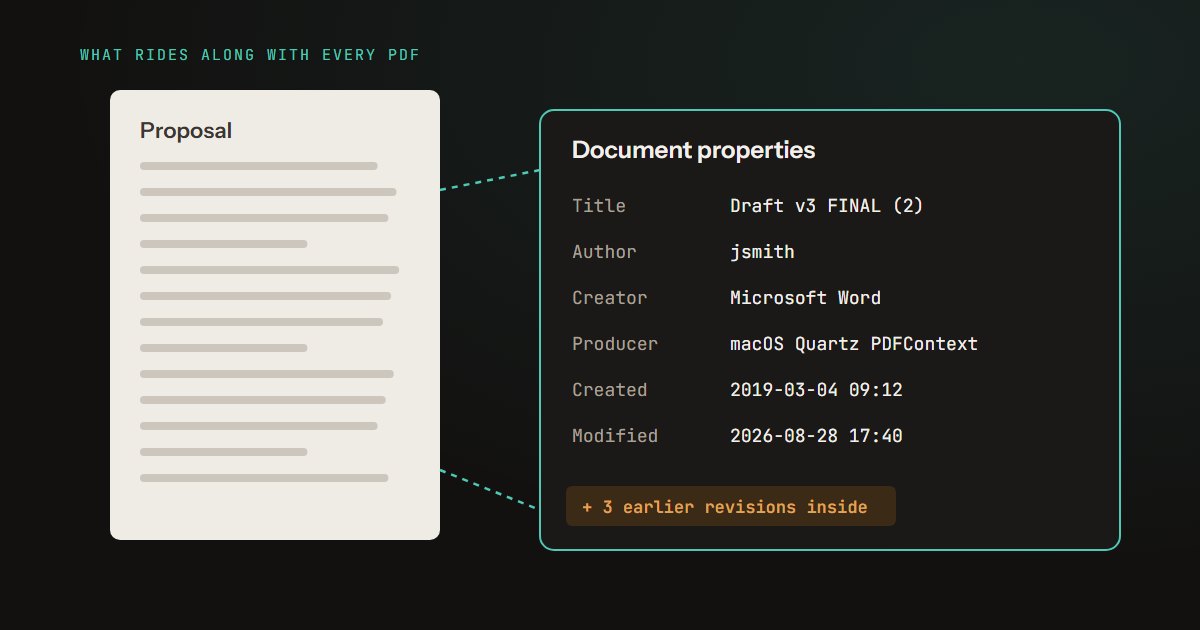
- What the file itself gives away. Processing a file locally keeps it off our server; it does not clean it. An author's name, an old draft or cropped-off text travels with the file wherever you send it - see what your PDFs leak.
- Compliance on its own terms. If you work under rules such as HIPAA or GDPR, whether a tool is acceptable is a question for your organisation. Not sending data to a third party removes one problem; it does not make a workflow compliant by itself.
It also has practical limits. The work is done by your device, so speed depends on it: in our compression benchmark a typical page took about a quarter of a second, and a 75.8 MB, 21-page file took 15 seconds. Very large files are bounded by the memory of a browser tab, which is why Compress PDF accepts files up to 100 MB each. And if you close the tab halfway through, the work is lost - there is no server holding it for you.
How to check any tool yourself
You do not need to take our word for any of this, or any other site's. Every desktop browser can show you the network traffic:
- Open the tool's page and press F12 (on a Mac, Option-Command-I), then choose the Network tab.
- Clear the list, so you only see what happens next.
- Add a file of a few megabytes and run the tool.
- Sort by Size, or look at the requests marked POST or PUT. An upload shows up as a request whose size is close to your file's size. A browser-based tool will show only small requests - code being downloaded, and perhaps analytics pings of a few kilobytes.
A file of several megabytes makes the difference unmistakable, because no ordinary background request comes close to that size.
How the test was built
Tools and files. Eight tools, each opened in Microsoft Edge against a development build of this site and given a real file through its own file picker: a 3.2 MB four-page scan for Compress, Split, PDF to JPG and PDF to Word, two files totalling nearly 4 MB for Merge, a 729 KB certificate for OCR, and an 807 KB JPG and a 249 KB PNG for the image compressors.
Checks. Every request from adding the file to the result appearing was recorded with its host, method and body size. Every request body was also searched for a run of bytes from the middle of the file, which any upload, whole or in pieces, would contain. The recording script is kept, so any of the eight tools can be checked again the same way after it changes.
Limitations. Eight of our tools, not all of them, on one day. A development build serves the tools' code from the same machine, so the requests to our own server here are downloads from localhost; on the live site the same code comes from piqav.com. What third-party scripts do can change without any change on our side, which is why the network-tab check above is worth running yourself.
The short version
For documents you would not want copied onto someone else's server, a browser-based tool removes the copy entirely, and that is a genuine improvement over uploading. We measured it on eight of our own tools and found no part of any file in any request. What it cannot do is make the rest of the page, your device, or wherever you send the file next any safer - so check the network tab once, and keep treating sensitive documents as sensitive after they are processed.