If you have ever password-protected a PDF, you were offered a choice that probably seemed like a minor detail: set a password to open the document, or set one to restrict what people can do with it. Maybe both.
Those two options are not variations on a theme. They are fundamentally different mechanisms, and one of them provides essentially no protection at all. Knowing which is which changes how you should handle confidential documents.
- Contents encrypted with a key made from the password
- Without it, there is no page to show
- As strong as the password you choose
- File opens for anyone, no prompt
- Sets flags: no printing, no copying, no editing
- Each program decides whether to obey them
To check the difference rather than just describe it, on 29 September 2026 we protected the same six-page report twice with our own Protect PDF tool, both times with AES-256 and with printing, copying and editing all disallowed: once with only an owner password, once with a user password as well. Then we tried to get into each.
| Test | Owner password only | User password |
|---|---|---|
| Opens without a password | Yes | No |
| Text copied out ("copying not allowed") | All 1,284 characters | Nothing without the password |
| Restrictions removed without the password | Yes, in 0.2 seconds | Refused |
User password: real encryption
The user password - also called the open password - is the one that genuinely protects a document.
When you set it, the PDF's contents are encrypted. The text streams, embedded fonts, and images are scrambled with a symmetric cipher, and the key is derived from your password. Without it, a viewer has nothing to display. There is no page to render, because the page data is mathematically unreadable.
This is real cryptography and its strength depends on which algorithm was used:
| PDF era | Algorithm | Practical strength | |---|---|---| | Acrobat 3–4 (1996–1999) | RC4, 40-bit | Broken. Trivially recoverable with modern hardware. | | Acrobat 5–8 | RC4, 128-bit | Weak. RC4 has known cryptographic flaws. | | Acrobat 7+ (PDF 1.6) | AES-128 | Strong. No practical break. | | Acrobat X+ / PDF 2.0 | AES-256 | Strong. Current standard. |
A modern PDF with a long user password and AES-256 is genuinely secure. The weak link is the password itself, not the cipher - a document encrypted with AES-256 and the password 2024 is not protected by anything meaningful, because attacking the password is vastly easier than attacking the algorithm.
We measured how much easier. We gave our test file the user password 7391 and had one browser tab try every four-digit PIN from 0000 upwards, opening the file with each - the slowest, simplest way there is, about nine guesses a second.
It found the password after 7,392 guesses, in 13 minutes. Every four-digit PIN would have taken about 18. AES-256 did its job perfectly the whole time; it simply cannot help when there are only ten thousand possible keys.
Owner password: an honour system
The owner password - also called the permissions password - works completely differently, and this is where the misunderstanding does damage.
Setting an owner password does not restrict access to the document. The file still opens for anyone, with no prompt. What it does is set a handful of flags in the PDF's encryption dictionary that say things like printing not allowed, copying not allowed, editing not allowed.
Those flags are requests. They are not enforced by cryptography. They are enforced by whichever application happens to be displaying the file, and only if that application chooses to honour them. In our test, pdf.js - the viewer inside Firefox - opened the "copying not allowed" file without asking for anything and handed over all 1,284 characters of its text, exactly as it did for the unprotected original.
Adobe Acrobat honours them, because Adobe wrote the specification and complying with it is the point. Many other viewers honour them too. But nothing makes them. A PDF library written in an afternoon can read the file, ignore the flags entirely, and hand you the fully editable content - not by breaking anything, but simply by not implementing a restriction it was never obliged to implement.
Here is the part that surprises people: on most permission-restricted PDFs, the document content is encrypted with a key derived from an empty user password. The file is technically encrypted, but the key is derivable without any secret at all. That is why removing permission restrictions is instant and requires no password - there is no secret to recover.
What this means in practice
An owner password is a speed bump, not a lock. It stops a colleague from casually copying a paragraph. It does not stop anyone who wants the content. If you are relying on permission flags to protect something that would cause harm if it leaked, you are relying on nothing.
A user password is real protection, and you must not lose it. There is no recovery mechanism. If the password is gone and the cipher is AES, the content is gone with it. This is a feature, not a limitation - a recovery backdoor would defeat the encryption entirely.
This distinction is also why our Unlock PDF tool behaves the way it does. It can remove permission restrictions immediately, because those were never cryptographically enforced: on our owner-password file it took 0.2 seconds, with no password. It cannot open a user-password-encrypted file without the password, because the content is genuinely scrambled; on the user-password file it refused. Any tool claiming otherwise is either brute-forcing weak passwords, exploiting the legacy 40-bit RC4 flaw, or lying about what it does.
Choosing the right protection
Match the mechanism to the actual threat:
Sending a document over email or a channel you do not control. Use a user password with a strong passphrase, and share that passphrase over a different channel - a phone call, a message app, anything that is not the same email thread. Emailing the password alongside the encrypted file protects against nothing.
Discouraging casual copying of a published document. An owner password is fine here, as long as you understand it is discouragement rather than prevention. A watermark is often more effective, because it survives copying instead of trying to prevent it.
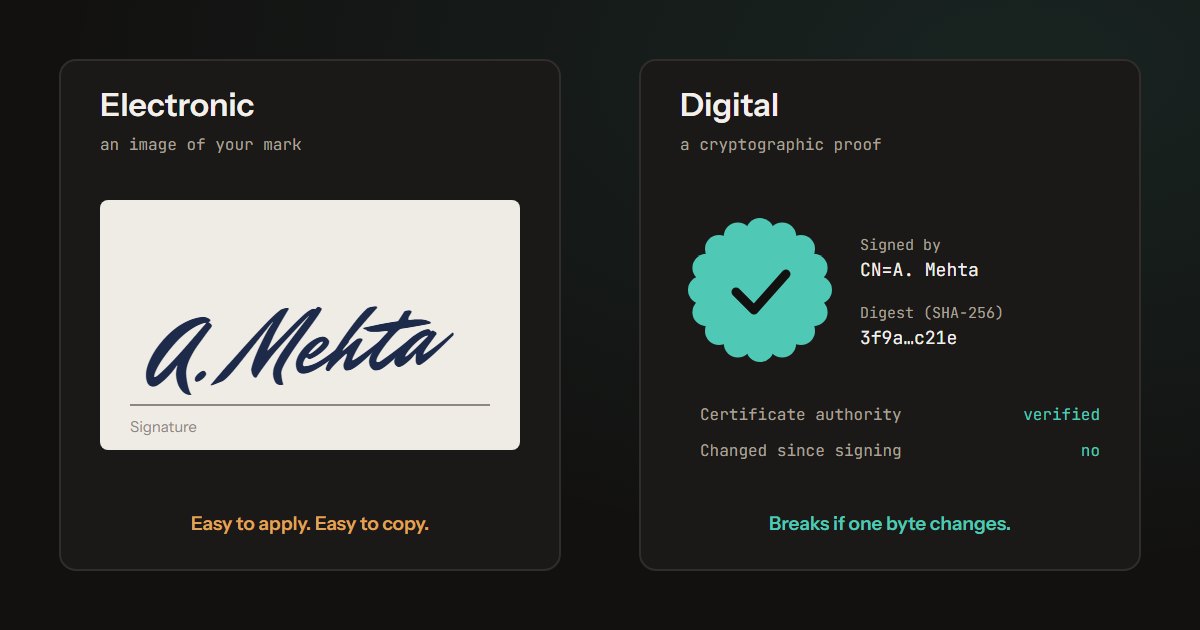
Proving a document has not been changed. Neither password does this. The owner password's "no editing" flag can be ignored by any program that chooses to. That job belongs to a certificate-based digital signature, which in our test failed as soon as the rent in a signed agreement was changed.
Genuinely confidential material that must not leak. Neither PDF password is the right primary control. Use encrypted transport and access controls at the storage layer, and treat PDF encryption as a secondary measure. A PDF password protects a file in transit; it does nothing about who has legitimate access to the file in the first place.
Long-term archives. Think carefully before applying a user password to anything you need in ten years. Passwords are lost, staff leave, and password managers get abandoned. An encrypted archive with an unrecoverable password is an expensive way to delete your own records.
How the test was built
Files. Our survival test's six-page report, protected twice with Piqav's Protect PDF, which ran its real processing code, unchanged, in Microsoft Edge against a development build of this site: AES-256 (the file's encryption dictionary read V 5, R 6), with printing, copying and editing disallowed. One copy had only an owner password; the other also had the user password 7391.
Checks. Each file was opened with pdf.js with no password, a wrong one and the right one, and its text extracted; Unlock PDF was run on each with no password. The PIN search opened the file with pdf.js once per guess, one after another, in one tab of Edge on a laptop. The protect step and the PIN search are scripted, so both can be re-run on any new version of Protect PDF.
Limitations. Nine guesses a second is what a PDF viewer manages, not what a password-cracking tool does; those test each guess without opening the document and use every core of a graphics card, so treat 13 minutes as the slowest case, not a typical one. The RC4 rows in the table above are from the published history of the format, not from this test.
The one-line summary
If a PDF prompts you for a password when you open it, that is real encryption. If it opens straight away but greys out the print button, that is a request the software is choosing to honour - and other software will not.