Compress Image Online Free
An online image compressor for any common format, one file or a whole batch, with a quality slider you control.
One image size reducer for a mixed batch
Compress pictures of any common format at once: add JPGs, PNGs, WebPs and GIFs together, pick a quality, and click compress. Each file is handled the way its format needs and keeps its width and height - or choose a longest side to scale big photos down, and WebP to save them in a smaller format. The compression code is fetched from a public CDN once; your images are never uploaded. To put compressed photos into one document, use JPG to PDF.
What happens to each format
| JPG | Saved again at the chosen quality. Location and camera data are removed; the photo stays upright. |
| PNG | Stored more efficiently. An image with few colours loses nothing; one with many has its colours reduced. Transparency is kept. |
| WebP | Saved again as WebP at the chosen quality. |
| GIF | Animated GIFs keep every frame and their timing; if that does not make one smaller, it goes back untouched. A still GIF becomes a PNG. |
Measured results
One setting does very different things to each format, which is what a mixed batch runs into. These are the same three test images measured on Compress JPG and Compress PNG, side by side; every result kept its original dimensions.
| Image | Best (85) | Recommended (70) | Smallest (30) |
|---|---|---|---|
| Photo JPG, 2.6 MB | 1,261 KB | 644 KB | 171 KB |
| Screenshot PNG, 165 KB | 44 KB | 44 KB | 44 KB |
| Photo PNG, 12.1 MB | 6.4 MB | 6.1 MB | 2.8 MB |
The screenshot lost nothing and came out the same at every setting. The photo PNG shrank by reducing its colours, and even then stayed several times larger than the same photo as a JPG - worth knowing if your photos are saved as PNG.
No guessed sizes
How small a file gets depends on what is in the picture, so the tool does not show a predicted size - an earlier version did, and it was off by as much as six times. Compress, read the real size on the result screen, and if it is not small enough, go again from the original at a lower setting. If a file comes out no smaller than it went in, you get the original back.
How to reduce image size: compress images in four steps
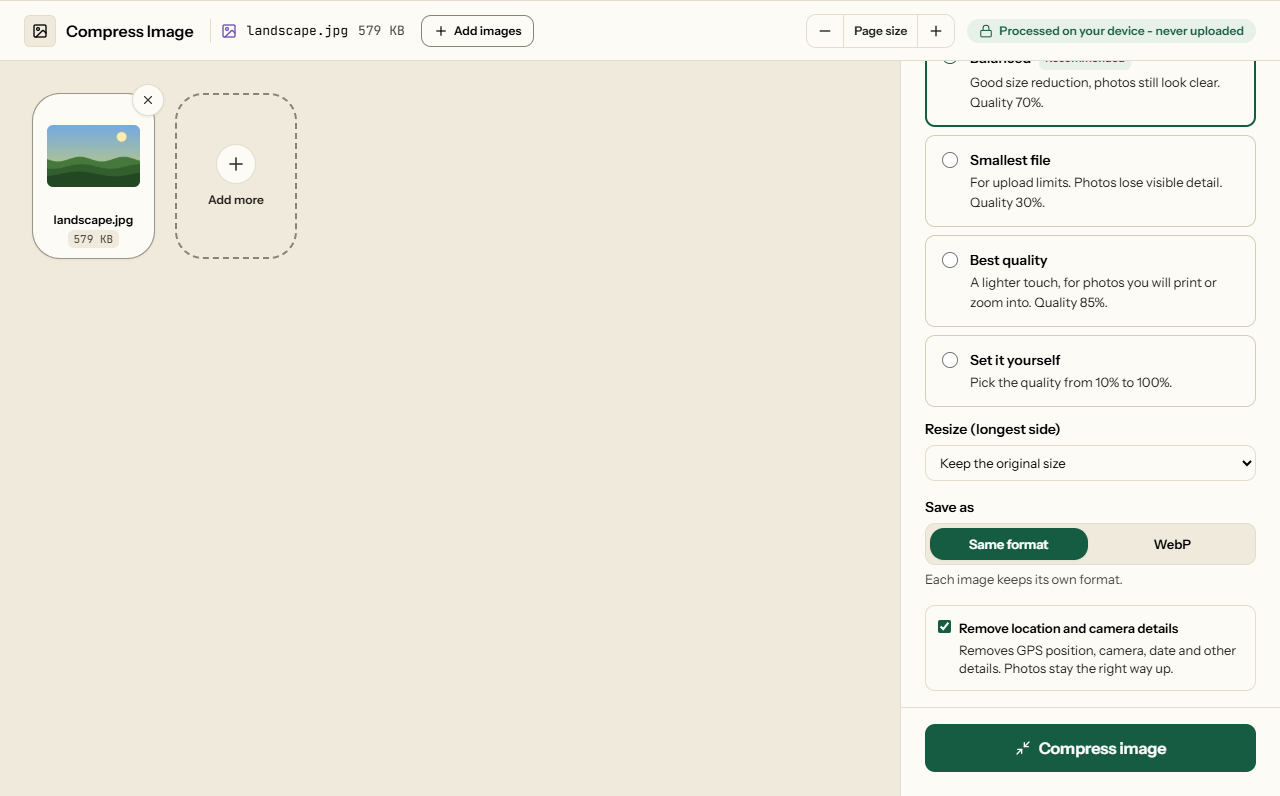
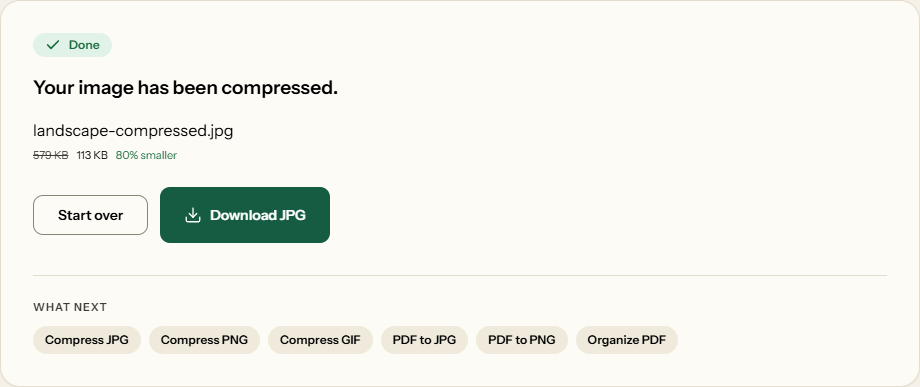
What Compress Image looks like
Two screens from the working tool, captured on 23 October 2026 with a 579 KB landscape photo in it.
Frequently asked questions
How does the tool know which compression method to use?
From the file type. A JPG is saved again at the quality you pick. A PNG is stored more efficiently and, if it has many colours, has them reduced. A WebP is saved again as WebP - and any still image can be saved as WebP instead, under Save as. An animated GIF goes to a GIF encoder that keeps every frame; a still GIF is saved as a PNG, which loses nothing.
What happens to each format in a mixed batch?
Every file is compressed the way its format needs and keeps its width and height, unless you choose a smaller size under Resize. A JPG or WebP is saved again at the chosen quality, and location and camera data are removed unless you untick that option. A PNG is stored more efficiently and keeps its transparency. An animated GIF keeps every frame and its timing; a still GIF becomes a PNG.
Should I use this or one of the format-specific tools?
The controls are the same in all of them. Use this one for a mixed batch; the JPG, PNG and GIF tools only accept their own format, which helps when you want to be sure nothing else slips in.
Why did my file barely shrink?
It was probably compressed already - a photo sent through WhatsApp or downloaded from social media has little left to lose. A screenshot saved as PNG shrinks by the same amount at every setting, because it loses nothing. If a file cannot be made smaller at all, you get the original back.
Format-Specific Compressors
The same engine, limited to one format.