PDF to JPG Converter
A free PDF to image converter: each page becomes a JPG at the resolution you choose, or export only the pages you need.
Convert PDF to image: every page as a JPG
Turn a PDF into pictures you can share or post. Choose a quality, pick the pages you want or leave them all, and download one JPG per page. Pages are rendered in your browser; the PDF is not uploaded.
What each setting gives you
Measured on one A4 page of each kind:
| Setting | Image size | Scanned page | Page of text | Good for |
|---|---|---|---|---|
| Low, 72 DPI | 595 x 841 | 29 KB | 34 KB | Thumbnails, a quick look |
| Medium, 150 DPI | 1240 x 1753 | 372 KB | 138 KB | Slides, screens, messaging |
| High, 300 DPI | 2480 x 3507 | 2.9 MB | 548 KB | Printing, zooming in |
Until 27 September, Medium and High were rendered at 144 and 225 DPI while their labels said 150 and 300. They now match. A higher setting cannot add detail a scan never had: a page scanned at 150 DPI looks no sharper at High, only bigger. If you are still choosing how to scan, what DPI to scan at has the measurements.
High is not the setting for sending
Each setting changes two things at once: the resolution, and the JPEG quality the page is saved at - 60 at Low, 80 at Medium and 95 at High. Quality 95 keeps almost everything, which is right for printing and wrong for an inbox, and it adds up fast over a whole document. We converted every page of a 10-page scan (a 7.9 MB PDF) and weighed the ZIP you download:
- Low: 419 KB, about 42 KB a page. Readable on a phone, too soft to print.
- Medium: 3.0 MB, about 300 KB a page. Clear on any screen, and small enough to email or send in a chat.
- High: 30 MB, about 3 MB a page - larger than Gmail's 25 MB attachment limit, and nearly four times the PDF it came from.
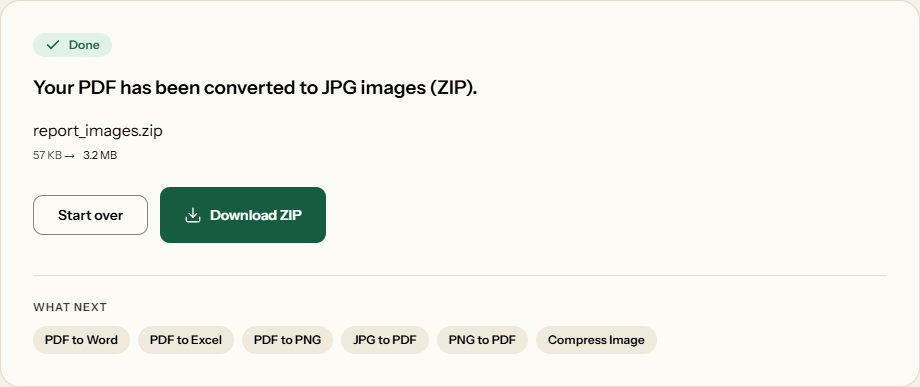
A 6-page report typed in a word processor was lighter at every setting - 200 KB, 835 KB and 3.2 MB - because clean white space costs JPEG little. Either way, choose High when the images are going to a printer or will be cropped and zoomed, and Medium for everything you send.
JPG or PNG?
For scans and pages full of photographs, JPG - it is built for them. Our scanned page at Low was 29 KB as a JPG and 754 KB as a PNG. For pages that are mostly text and line drawings, PNG is often the smaller file and always the sharper one. Our text page at High was 548 KB as a JPG and 306 KB as a PNG, with no JPEG blur around the letters. If the page is text, use PDF to PNG instead.
What comes across
Each image is the page as a viewer shows it - turned pages come out the right way up, cropped pages at their cropped size, and filled-in form answers are part of the picture. Being images, they have no selectable text or links - which is why turning pages into images is a crude but effective way to make sure covered text is really gone, as why PDF redaction fails explains. To pull the pictures out of a PDF rather than photographing whole pages, this is not the tool; to go the other way, JPG to PDF puts images back into a PDF.
How to convert PDF to JPG
What PDF to JPG looks like
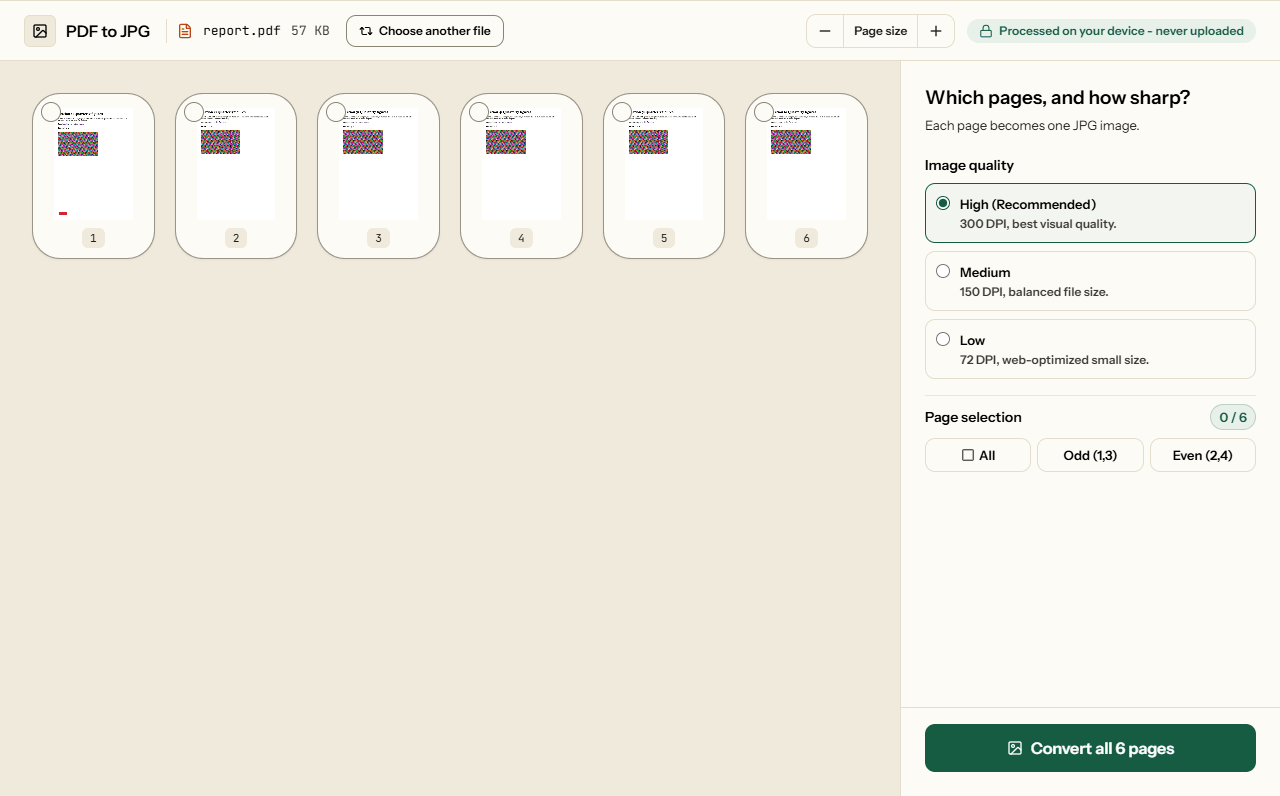
Two screens from the working tool, captured on 16 October 2026 with a 6-page, 57 KB report in it.
Frequently asked questions
Which setting should I use?
Medium (150 DPI) for anything you send or show on a screen, High (300 DPI) only for printing or zooming in. In our test a 10-page scan made a 3 MB ZIP at Medium and a 30 MB ZIP at High - over the 25 MB Gmail accepts as an attachment.
Why does my JPG look blurry?
A setting cannot add detail the PDF never had: a page scanned at 150 DPI looks no sharper at High, only bigger. On pages of text, JPEG also softens the edges of letters, so PDF to PNG gives sharper text - for our text page, in a smaller file too.
Can I convert only some pages?
Yes. Click the pages you want in the grid and the button changes to Convert Selected. One page downloads as a single JPG; several come as one ZIP, numbered in page order - useful when you need the chart on page 12, not a hundred images.
What do the Low, Medium and High settings change?
Resolution, and with it how much JPEG compression is used: quality 60, 80 and 95. On a scanned A4 page we measured about 29 KB at Low, 372 KB at Medium and 2.9 MB at High. For a page of text they came to 34 KB, 138 KB and 548 KB.
How many pixels is each image?
It depends on the paper and the setting. An A4 page is 595 × 841 at Low, 1240 × 1753 at Medium and 2480 × 3507 at High. US Letter is 612 × 792, 1275 × 1650 and 2550 × 3300.
Can I still copy text from the JPG?
No. A JPG is a picture of the page, so its text, links and form fields become pixels. Keep the PDF for anything that has to be searched or copied, or convert it to Word.