The two terms get used interchangeably, including by companies selling both. They are not the same: in our test, only one of them noticed when the rent in a signed agreement was changed.
An electronic signature is a legal concept: any electronic indication that a person intended to sign. A digital signature is a cryptographic technique: a mathematical construction that binds a document to a key holder and reveals tampering.
One is about intent. The other is about proof. Most documents need only the first, but when you need the second, nothing else substitutes.
To show the difference rather than describe it, on 29 September 2026 we signed the same one-page tenancy agreement both ways - once with our own Sign PDF tool, once with a cryptographic signature - and then changed the monthly rent in each file from 1,450 to 4,150.
Electronic signatures
An electronic signature is broad enough to cover almost any deliberate electronic mark: typing your name at the bottom of an email, drawing a squiggle with a trackpad, clicking a button labelled "I agree", or pasting an image of your handwritten signature into a PDF.
Under the US ESIGN Act (2000) and the EU's eIDAS regulation, these are generally as legally valid as ink on paper for most transactions. A contract is not void because it was signed by drawing on a touchscreen.
What an electronic signature does not provide is proof. A drawn signature in a PDF is an image sitting on a page. It carries no cryptographic link to you and no evidence about the document's state when you signed it. If someone alters a clause after you sign, the signature image sits there looking exactly as valid as before, because it has no relationship to the content around it.
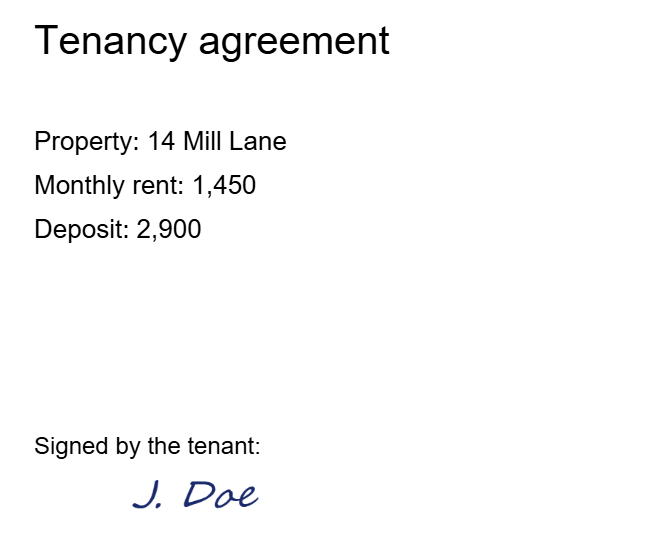
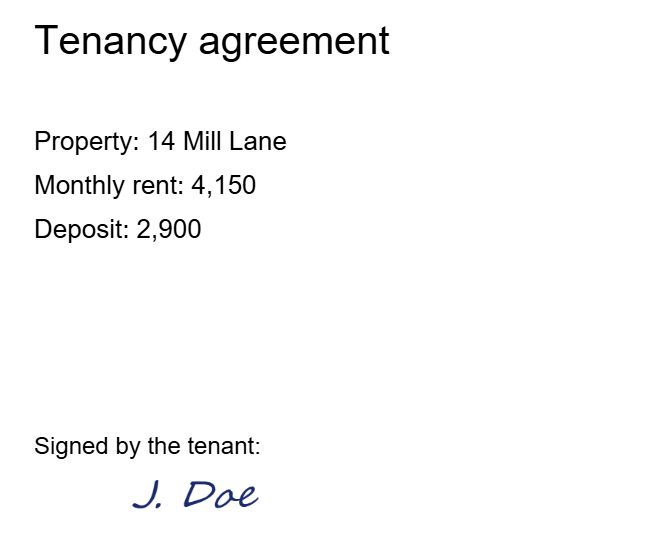
That is exactly what happened in our test. Changing five characters in the file turned 1,450 into 4,150; the signed file still opened, still showed the signature, and contained nothing that could flag the change, because there was nothing in it to check against.
In practice, electronic signatures are usually backed by circumstantial evidence rather than mathematical proof: the platform's audit trail, the email address the signing link went to, IP addresses, timestamps. That evidence lives with the service provider, not in the document.
Digital signatures
A digital signature is a specific cryptographic operation. In simplified terms:
- The document is hashed, producing a fixed-length fingerprint of its exact bytes.
- That hash is encrypted with the signer's private key, which only they hold.
- The result is embedded in the PDF along with the signer's public certificate.
Anyone can now verify it. A viewer recomputes the hash of the document, decrypts the signature with the public key, and compares. If they match, two things are established: the document has not changed by even one byte since signing, and it was signed by whoever holds the private key corresponding to that certificate.
Change a single character and the hash no longer matches. The signature does not merely become suspect - it becomes cryptographically invalid, and the viewer says so.
Change any signed byte - one digit of the rent - and the fingerprint the viewer recomputes no longer matches.
- As signedValid
- Rent changed from 1,450 to 4,150Invalid - verification failure
- Re-saved by a PDF tool (ours)Invalid - the signed bytes are no longer the file
In our test, the digitally signed agreement verified as valid. After the same five-character change to the rent it failed verification. It also failed after we ran it through our own Sign tool, without touching the rent at all: any tool that opens a PDF and saves it again rewrites the bytes the signature covers.
This is why Acrobat shows a green tick or a warning banner on signed documents. It is performing that verification when the file opens.
The chain of trust rests on the certificate, which is issued by a Certificate Authority that verified the holder's identity. A self-signed certificate provides tamper-evidence but no identity assurance, because nobody vouched for who created it.
Are electronic signatures legally binding? The legal tiers
eIDAS formalises three levels, and the vocabulary is worth knowing because vendors use it:
Simple Electronic Signature (SES). The broad category. A drawn or typed signature. Admissible, but its evidential weight depends on surrounding circumstances.
Advanced Electronic Signature (AES). Uniquely linked to the signer, capable of identifying them, created with means under their sole control, and linked to the data such that later changes are detectable. In practice this means a digital signature.
Qualified Electronic Signature (QES). An advanced signature created with a certified secure device using a qualified certificate. Under eIDAS, a QES has the same legal effect as a handwritten signature, and one issued in any EU country is recognised in all the others. Some countries go further in their own court rules and presume a QES is genuine unless it is disproved, but that comes from national law, not from eIDAS itself. In 2024 the EU amended eIDAS with Regulation (EU) 2024/1183, mainly to set up a European Digital Identity framework; a qualified signature still has the legal effect of a handwritten one and is still recognised across the EU.
Other jurisdictions structure this differently. In India, the IT Act 2000 recognises digital signatures backed by Digital Signature Certificates (DSCs) from licensed Certifying Authorities, and, since a notification of 27 January 2015, Aadhaar eSign. A DSC is required for company filings with the Ministry of Corporate Affairs, for income tax returns from companies and businesses under tax audit, and for most government e-tenders. Most individuals do not need one for their own tax return: it can be verified with an Aadhaar OTP instead. The US takes a more technology-neutral approach, with ESIGN treating most electronic signatures as valid without mandating a specific method.
Which do you need?
Electronic is fine for: internal approvals, NDAs, employment offers, service agreements, rental contracts, consent forms, delivery confirmations. The overwhelming majority of everyday signing.
Digital is required or strongly advisable for: government and regulatory filings, company tax returns, tenders, court documents in many jurisdictions, anything where you must prove the document is unaltered years later, and anything crossing a border where local law demands a qualified signature. Which documents that covers depends on the country: in the EU, any procedure that asks for a qualified signature (QES); in India, the filings above that require a DSC.
The deciding question is not "how important is this document" but "will anyone need to prove, later and possibly in front of a court, that this exact text is what was signed?" If yes, you need cryptography. If the answer is really "we just need a record that both parties agreed", an electronic signature is sufficient and far less friction.
What our tool does, and does not do
Worth stating plainly: our Sign PDF tool produces electronic signatures. You draw or type a signature and place it on the page. That is legally valid for the broad category of documents above, and it is what most people signing a PDF actually need.
It does not produce digital signatures, and it will break one. If a PDF arrives already digitally signed - by a bank, a government portal, a counterparty - do not run it through Sign PDF or any other tool that saves a new copy, ours included: in our test that turned a valid signature invalid. If you need to add your signature to a document that is already digitally signed, ask the sender how they want it done, and keep the original.
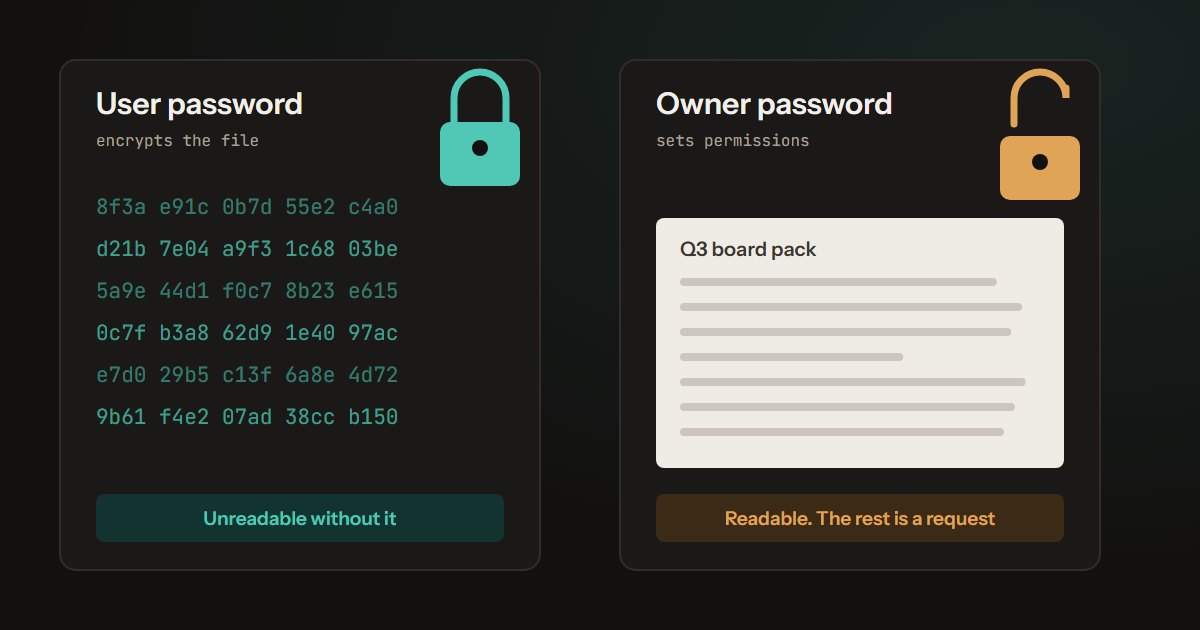
Producing one requires a private key and a certificate issued by a Certificate Authority after verifying your identity - that is an identity-verification service, not a browser tool, and it cannot be done entirely client-side by design. If you need a QES for an EU filing or a DSC for an Indian government submission, you need a licensed provider, and any browser tool claiming to issue one should be treated with suspicion. A password on a PDF is a different thing again: it controls who can open the file, not who signed it, as we tested in the two PDF passwords.
The difference between electronic and digital signatures, in one line
An electronic signature records that you agreed. A digital signature proves what you agreed to.
How the test was built
Document. A one-page tenancy agreement made with pdf-lib, with its text stored as plain strings so the rent could be changed in the saved file the way someone editing it would: "1,450" to "4,150", the same length, so nothing else in the file moved.
Electronic signature. Piqav's Sign PDF placed a drawn signature image on the page, using the tool's own code, unchanged, in Microsoft Edge on a development build of this site.
Digital signature. A signature field was added to the same agreement and signed with OpenSSL 3.1 as an adbe.pkcs7.detached signature over SHA-256, using a self-signed certificate made for the test. Verification hashed the byte ranges the signature declares and checked them against it, which is what a PDF viewer does. A self-signed certificate proves the file has not changed, not who signed it; the result would be the same with a certificate from a Certificate Authority.
Checks. Text was extracted from each file with pdf.js and the pages were rendered for the figure. The script that builds the agreement and checks both signatures is kept, so the test can be repeated whenever Sign PDF changes.
Limitations. One document and one kind of change. We did not test how individual viewers such as Acrobat display a broken signature, only whether it verifies. The legal descriptions above are general and not legal advice.
Corrected 11 October 2026. An earlier version dated Aadhaar eSign to the 2008 amendment of the IT Act; it was added by a notification of 27 January 2015.
Corrected 10 October 2026. An earlier version said that eIDAS itself reverses the burden of proof for a qualified signature, and that a DSC is required for Indian tax returns in general. The first comes from some EU countries' own court rules, not eIDAS; the second applies to companies and audited businesses, not most individuals.