Compress JPG Online Free
A photo compressor and JPG size reducer: trade a little quality for a lot of file size, with fine control over where that line falls.
Smaller photos, same number of pixels
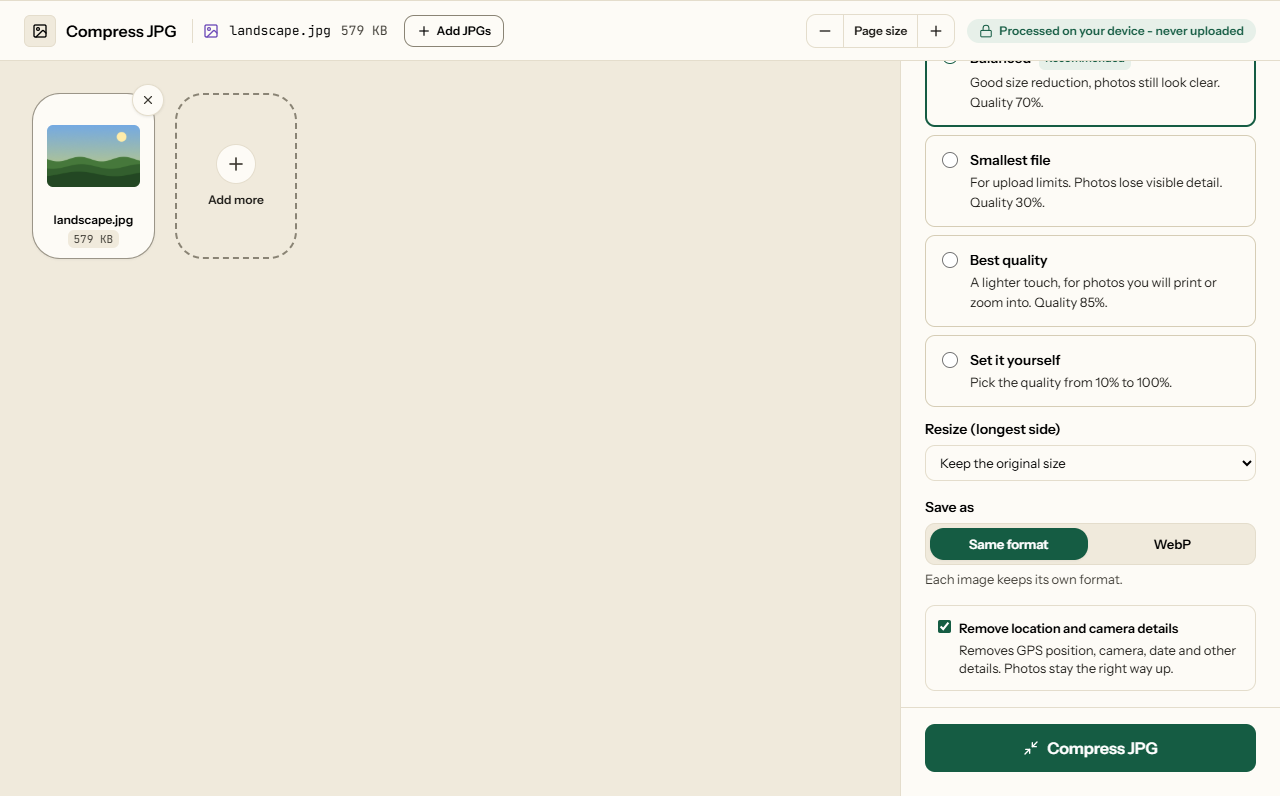
This photo size reducer works on one JPG or a batch: pick a quality and click compress. The photo is saved again at that quality: smaller file, location data removed, and the same width and height unless you pick a smaller size under Resize. The compression code is fetched from a public CDN once; your photos are never uploaded. We recorded every network request while it compressed a real JPG to check.
What each setting did to a real photo
We compressed a 6-megapixel photo (3000 × 2000, 2.6 MB, saved by the camera at high quality) at each preset and at the bottom of the slider:
| Setting | Result | Smaller by |
|---|---|---|
| Best Quality (85) | 1,261 KB | 52% |
| Recommended (70) | 644 KB | 75% |
| Smallest File (30) | 171 KB | 93% |
| Slider at 10 | 48 KB | 98% |
All four stayed 3000 × 2000. How much your own photos shrink depends on how they were saved: a photo straight from a phone camera has plenty to lose, while one already sent through WhatsApp or downloaded from social media has been compressed once and shrinks far less. If a photo cannot be made smaller, you get the original back rather than a larger copy.
Forms with a size limit
Application portals often ask for a photo under 50, 100 or 200 KB. The table shows the problem: even at quality 30, a 6-megapixel photo is 171 KB, because every one of its six million pixels is kept. For a limit that tight, the reliable route is to make the photo smaller as well: choose a size under Resize (longest side), such as 800 px or the size the form asks for, and it is scaled down and compressed in one step - a small photo reaches 100 KB at a quality that still looks clean. There is no size estimate before you compress; the result screen shows the real size, and you can go again from the original.
Location and camera data
Phone photos record where and when they were taken, and on which camera. We checked the output: the compressed JPG has no EXIF block at all, so none of that goes with it. Photos taken sideways still come out upright - the picture is turned before the orientation note is dropped. That holds when a photo is already as small as it goes and comes back unchanged, too: the details are cut out of the original without touching the picture, and we checked that its image data stayed byte for byte the same. Each photo that has a location stored is marked before you compress. To keep the date and location, untick Remove location and camera details. PDFs carry their own hidden details - author, software, old drafts - covered in what your PDFs leak.
How to reduce JPG size: compress a JPG in four steps
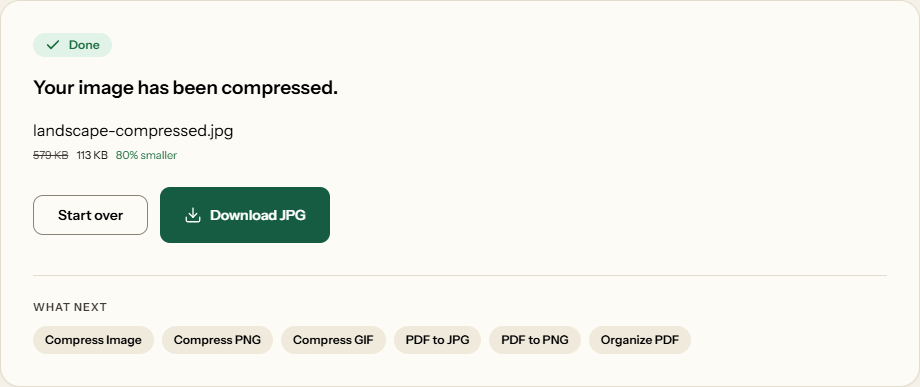
What Compress JPG looks like
Two screens from the working tool, captured on 23 October 2026 with a 579 KB landscape photo in it.
Frequently asked questions
How do I compress a JPG to under 100KB?
Pick a quality, compress, and read the size on the result screen - there is no target-size box, and the tool does not guess the size in advance. As a guide from our test, a 6-megapixel photo of 2.6 MB came out at 171 KB on Smallest File (quality 30) and 48 KB with the slider at 10. If a lower quality still is not small enough, the photo has more pixels than the form needs; this tool keeps every pixel, so resize it first.
Does compressing change my photo's dimensions (width × height)?
Not unless you ask. We checked every preset: a 3000 × 2000 photo stays 3000 × 2000. To make it smaller, choose a size under Resize (longest side); the shape is kept, and a photo already smaller than that is left as it is.
Will compressing strip my GPS location and camera info?
Yes, unless you untick Remove location and camera details. The compressed JPG carries no GPS position, camera model or date taken. The photo still displays the right way up, because it is turned upright before the data is removed.
Can I compress multiple JPG files at once?
Yes. Add as many as you like; they are compressed one after another at the same quality and come back together in one ZIP.
Why does my compressed JPG look blurry or blocky?
The quality was set low. Blockiness shows first in smooth areas such as sky and skin, and around text. Compress again from the original photo, not from the compressed copy, at Recommended (70) or Best Quality (85).