Productivity
Merging Large PDF Files: 30 Merges Measured
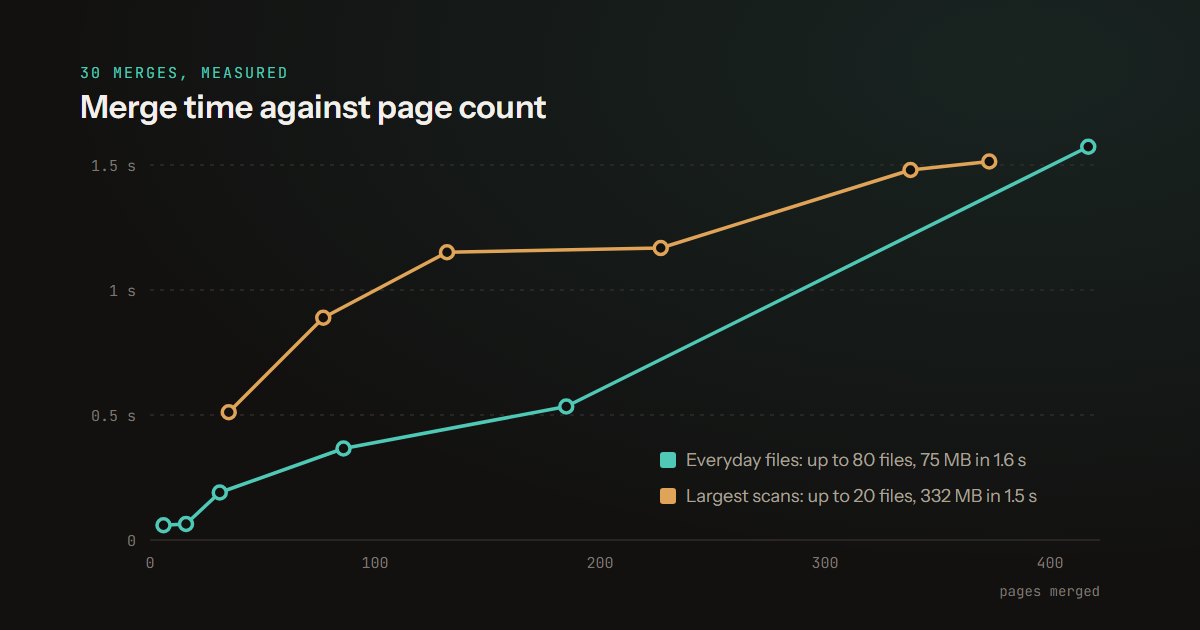
We timed Piqav's PDF merge on real files, up to 101 documents and 400 MB at once. Speed, memory, what survives the merge and the one file that failed.
Sep 22 • 8 min read→
How to get more out of a PDF, and how to keep what is in it to yourself. Written from the same position as the tools: on your own device, with nothing sent anywhere.
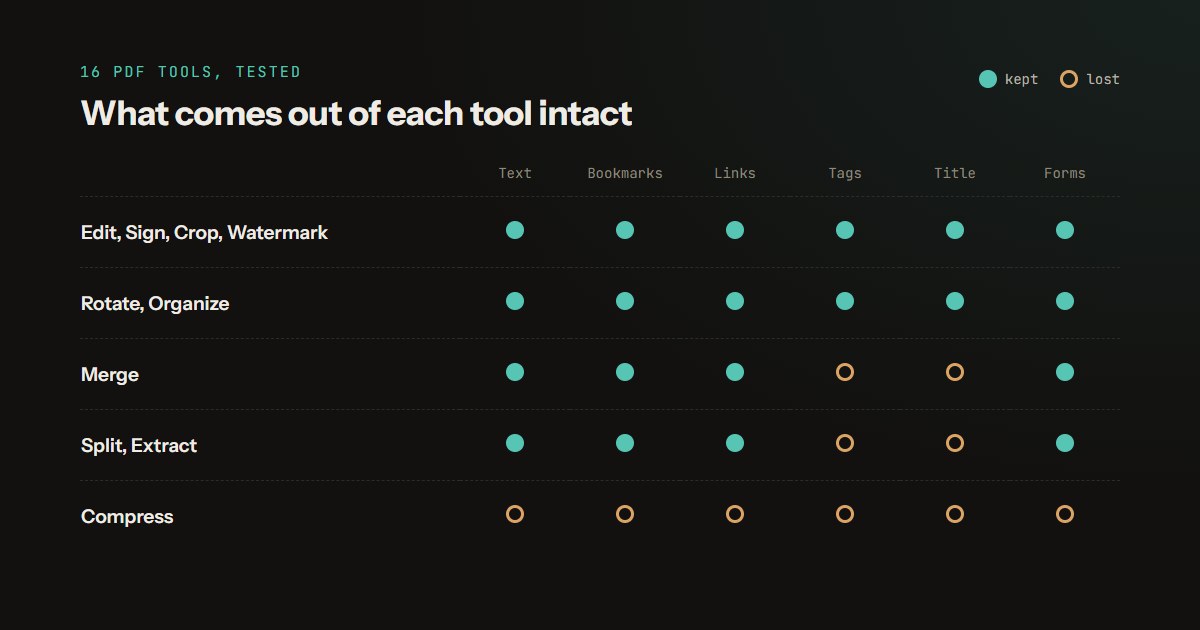
Bookmarks, links, forms, accessibility tags: we ran 16 PDF tools on the same test files and checked what came out intact, our own losses included.
We timed Piqav's PDF merge on real files, up to 101 documents and 400 MB at once. Speed, memory, what survives the merge and the one file that failed.
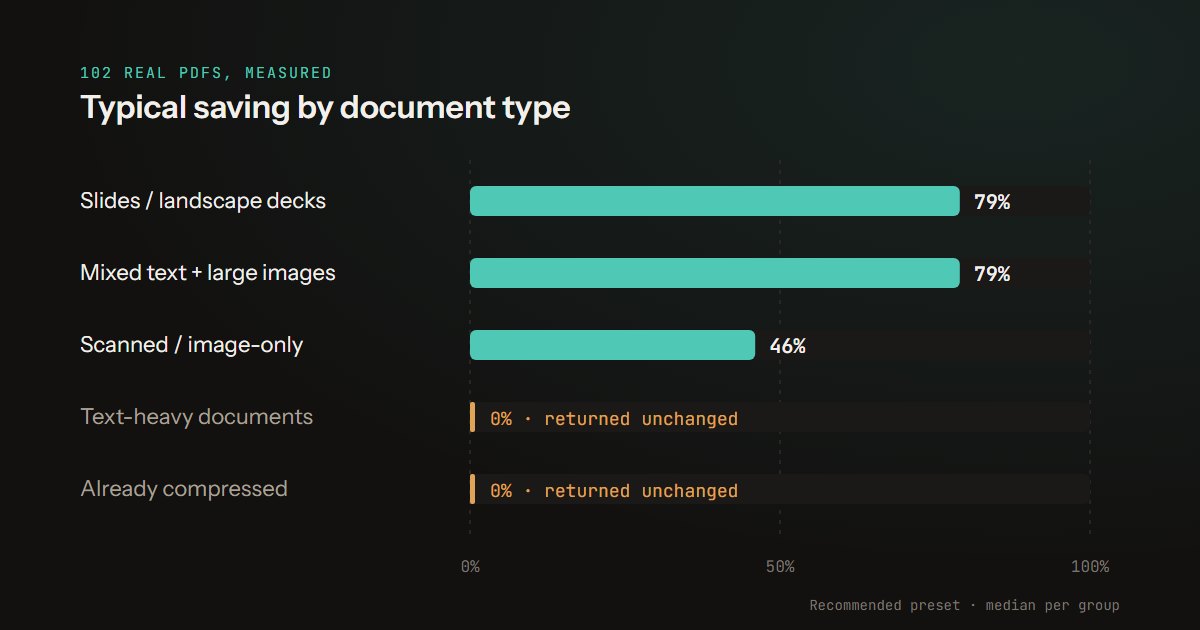
We ran 102 real PDFs through Piqav's compressor and recorded every result, including the 29 it could not shrink at all. Full numbers and limitations.
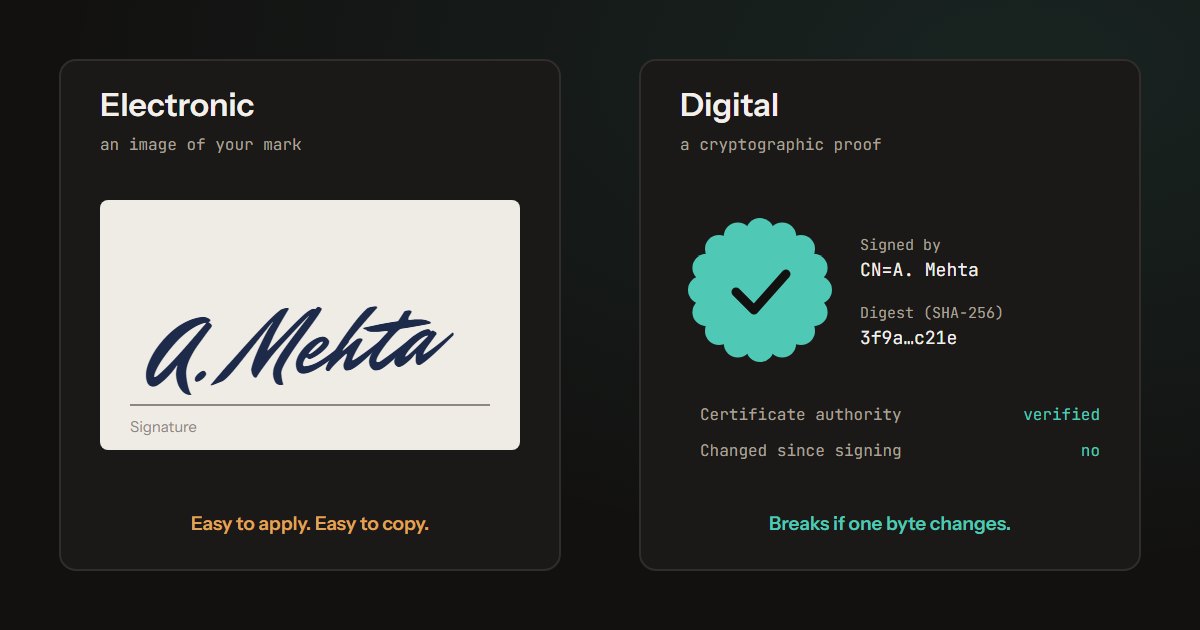
We signed a tenancy agreement both ways, then changed the rent. The drawn signature noticed nothing; the digital one failed. Which kind you need, and why.
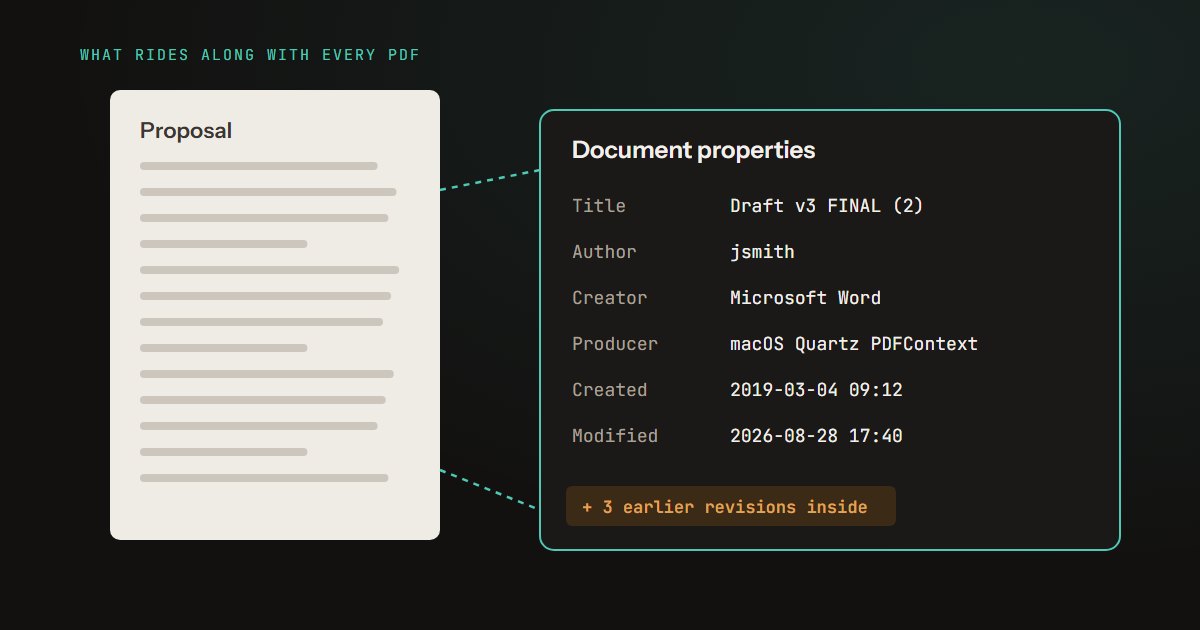
We built a PDF that leaks six ways - author, software, comments, an old draft, cropped-off text - and ran it through our own tools. What each one removed.
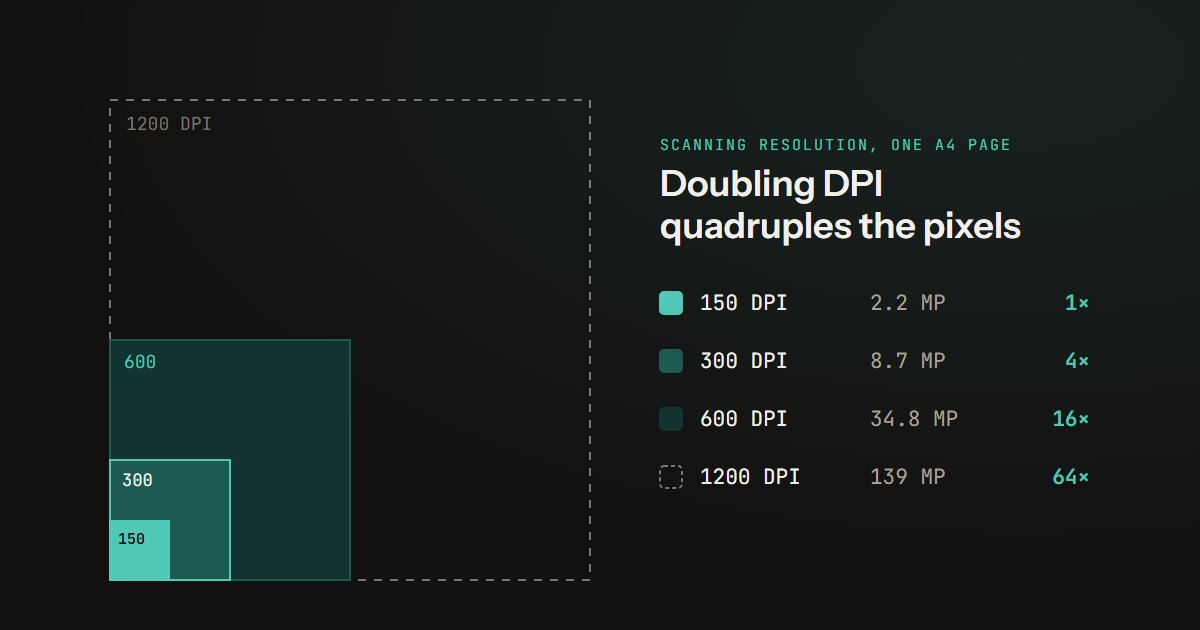
We scanned the same pages at 150, 200, 300 and 600 DPI and ran OCR on each. 150 misread an account number; 600 cost up to 4x the size and helped nothing.
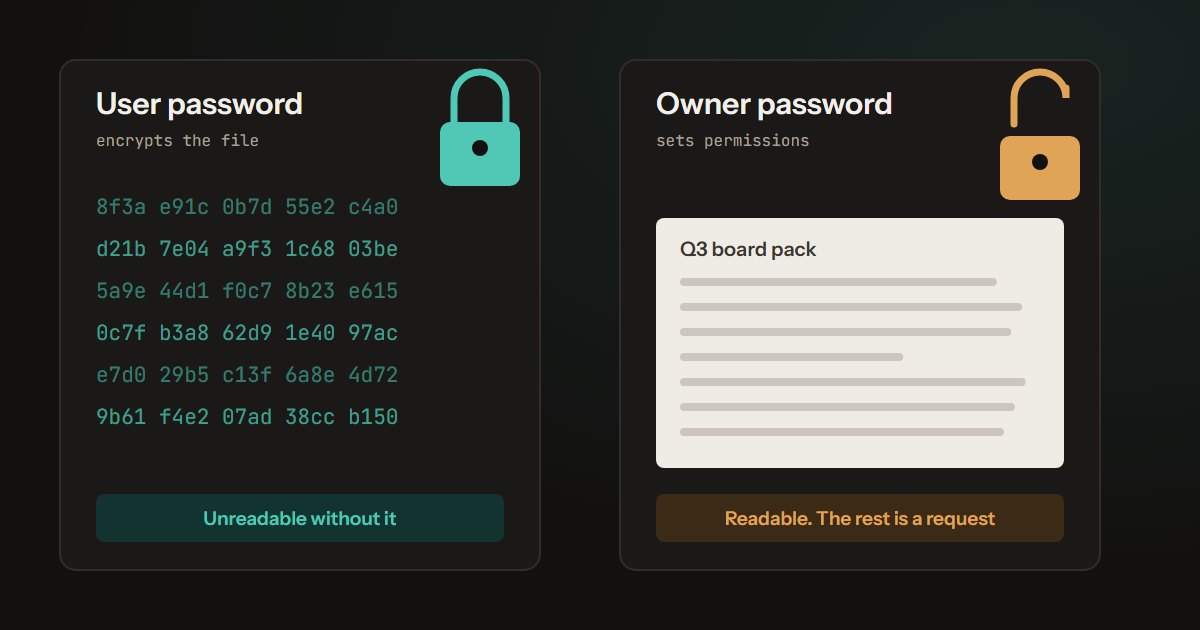
We protected one PDF with each password. The owner-password file opened and copied freely; a 4-digit user password fell in 13 minutes. Which one to use.
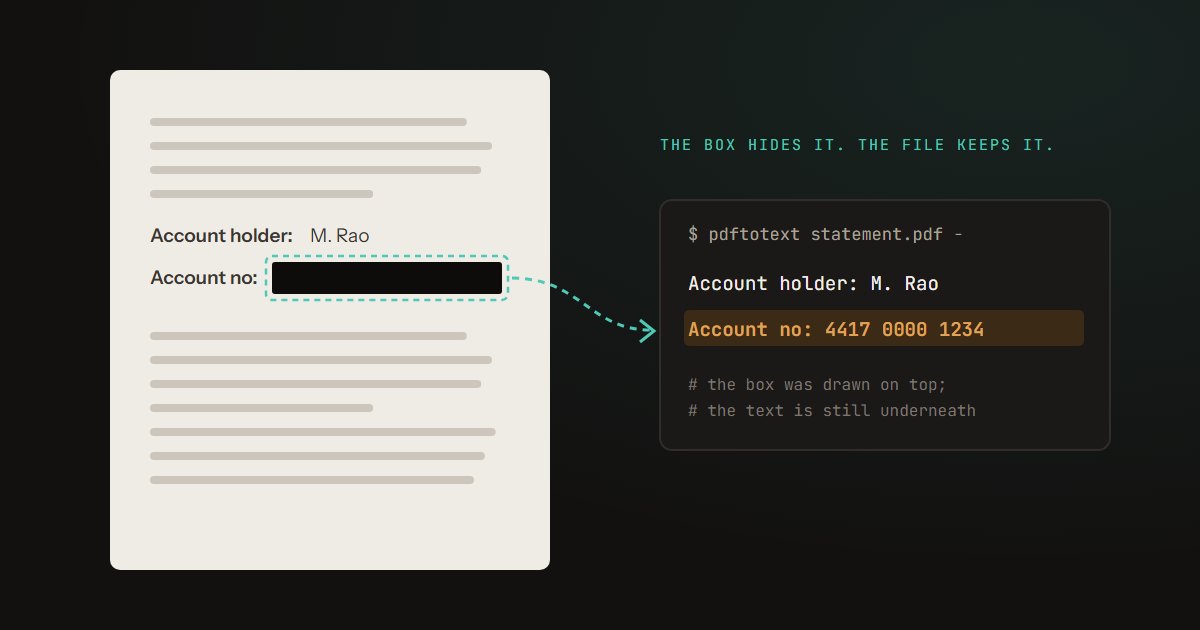
We hid one account number five ways and copied the text back out. Three leaked. Why a black box does not remove text, and how to redact properly.
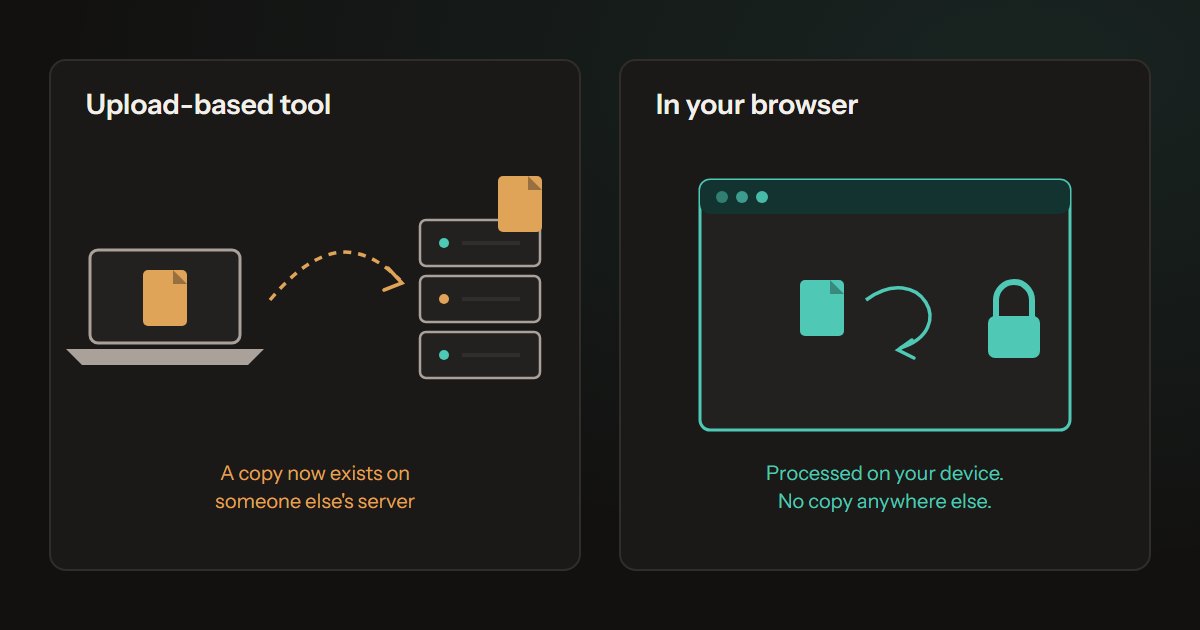
We recorded the network while eight Piqav tools processed real files: what the page sends, what it downloads, and how to check any tool yourself.
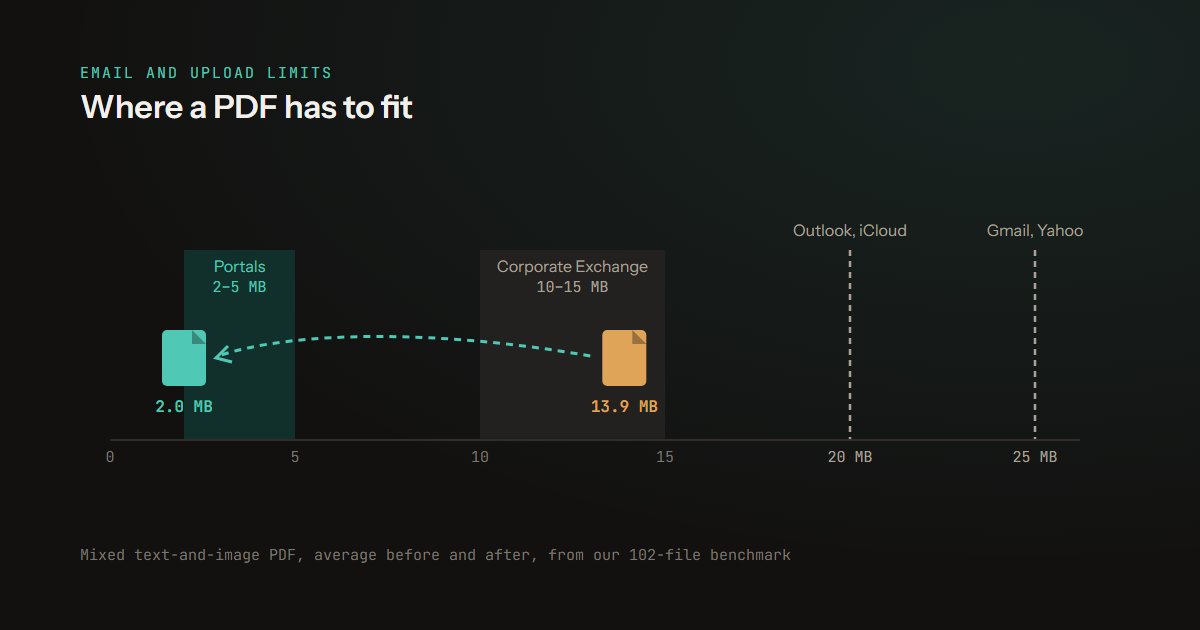
What gets a PDF under an email limit, measured on 102 real files: which PDFs shrink, which cannot, and what to do when compression fails.
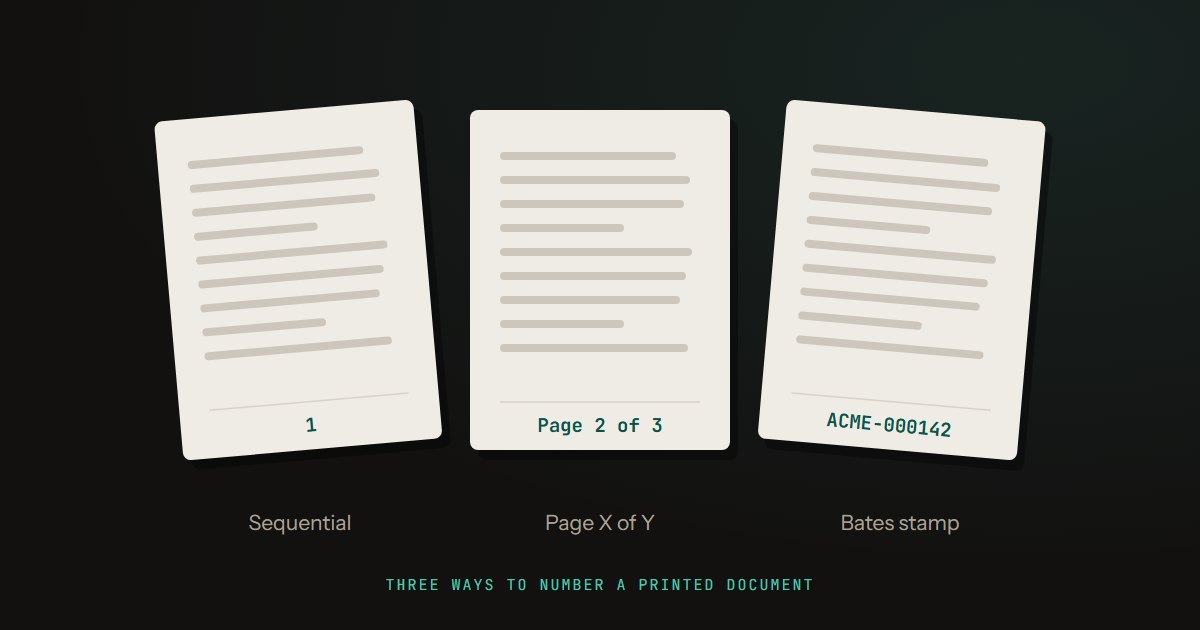
We numbered chapters before and after merging: one order prints Page 3 of 3, then Page 1 of 4. Which order works, where the number goes, what it costs.