Sign PDF Online Free
Draw, type or upload a signature, place it exactly where it belongs, or stamp it onto every page at once.
Type, draw or upload a signature, and put it where it goes
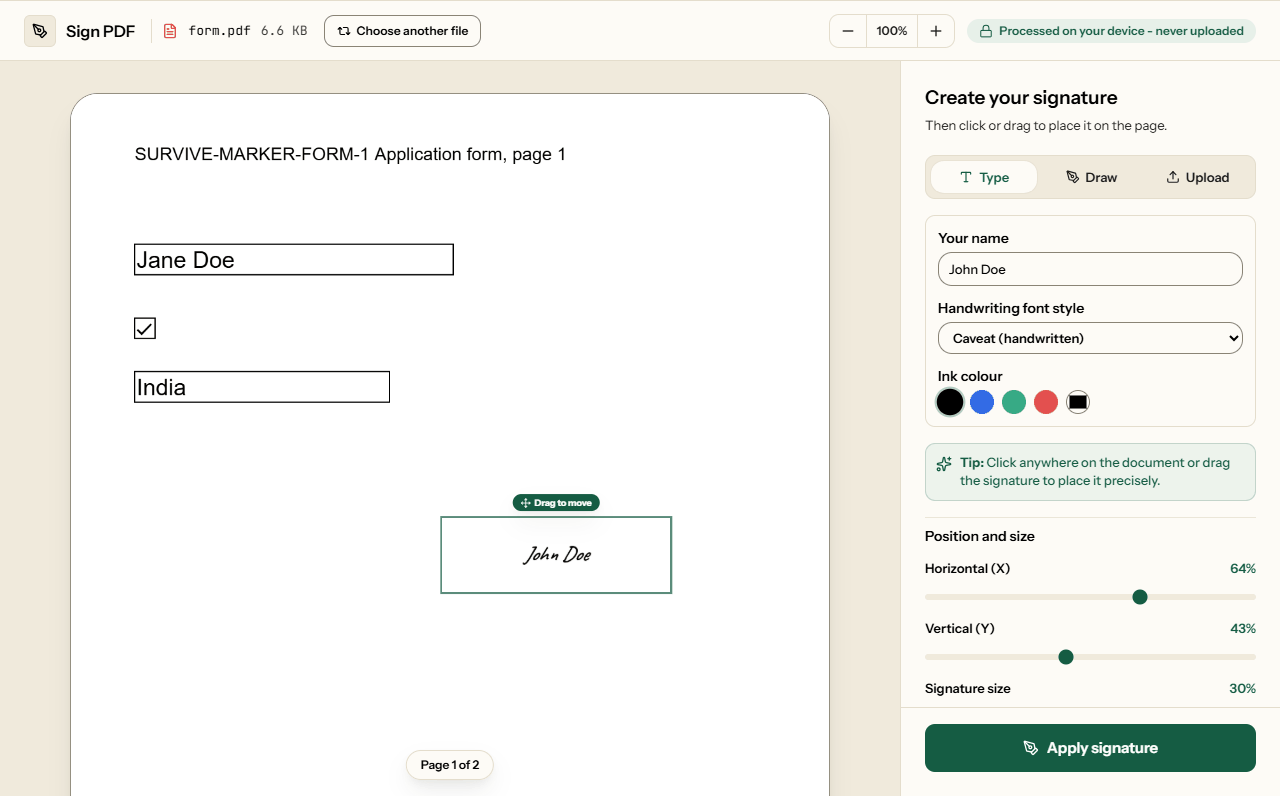
To put your signature on a PDF, add the file and make your signature: type your name, draw it with a finger or mouse, or upload or photograph one on paper. Then drag it onto the line and click Apply signature. You can sign one page, every page, or a list such as 1, 3, 5-7. The PDF and the signature stay in your browser and are never uploaded.
What you get is an electronic signature: a mark showing you agreed. It is accepted for most everyday documents, but it does not stop anyone changing the file afterwards. Our test below shows why.
Three ways to make the signature
| Type | Your name in Caveat, Dancing Script, Great Vibes or a formal serif (EB Garamond), in black, blue, green, red or a colour you pick. Quickest on a laptop. |
| Draw | With a finger, stylus or mouse. Your strokes are saved at four times the pad's size, so the signature stays smooth when you make it large or print it. Clear starts again. |
| Upload or photograph | Choose a PNG or JPG of your real signature, or use Take photo to photograph it with your phone or laptop camera. Sign white paper in dark ink and hold it flat in good light. Remove paper background, on by default, keeps only the ink and crops to it, so no grey box lands on the page; large images are also reduced to 1,200 pixels on the longest side. |
The camera picture never leaves the browser: the frame is turned into an image in the page, exactly like a photo you choose. All four typed styles are web fonts that load with this page, so a signature looks the same whether you make it on Windows, a Mac or a phone. Until 27 September the first three relied on the device's own fonts, and on Windows the handwritten style quietly came out in Comic Sans. Until 9 October the formal serif still did, and most Android phones do not have it.
How much each signature adds to the file
The signature goes into the PDF as an image. We signed the same 58 KB six-page report each way through this page on 9 October 2026:
| Signature | Saved at | Added to the file |
|---|---|---|
| Typed, any of the four styles | 800 × 260 px | 6 to 8 KB |
| Drawn with a mouse | 1,120 × 480 px | 12.5 KB |
| Laptop camera photo, background removed | 635 × 237 px | 35.5 KB |
| 12-megapixel phone photo (3.3 MB), background removed | 773 × 215 px | 25 KB |
| The same photo, background kept | 1,200 × 900 px | 205 KB |
Before 9 October an uploaded photo went in untouched, and the same photo added 3.3 MB, enough to push a file past an email or upload limit. The image is stored once however many pages it appears on, so signing all six pages cost about 1 KB more than signing one. Nothing else in the document changes: bookmarks, links, accessibility tags and form answers all survive (the full test), and the download keeps your file name with _signed added.
Can the document be changed after you sign it?
Yes. On 29 September 2026 we signed a one-page tenancy agreement with this tool, then changed the monthly rent in the saved file from 1,450 to 4,150. The file still opened, still showed the signature, and nothing in it could flag the change, because an image of a signature is not linked to the words around it. We signed the same agreement with a certificate-based digital signature and made the same change: checking the signature then reported it as invalid.
So keep your own copy of anything you sign, and when the other side needs proof that nothing changed, use a digital signature. The full test is in electronic vs digital signatures. Locking the signed copy with Protect PDF stops casual edits by people without the password, but it is not proof.
Limit
An electronic signature, not a digital one
What this tool produces is an electronic signature: a mark on the page showing that you agreed. That is accepted for most letters, forms and everyday agreements. It is not a digital signature, which uses a certificate to prove who signed and that the file has not changed since. That is the kind Indian GST, income tax and company filings require through a Digital Signature Certificate, and some EU procedures require as a qualified signature.
How to sign a PDF
What Sign PDF looks like
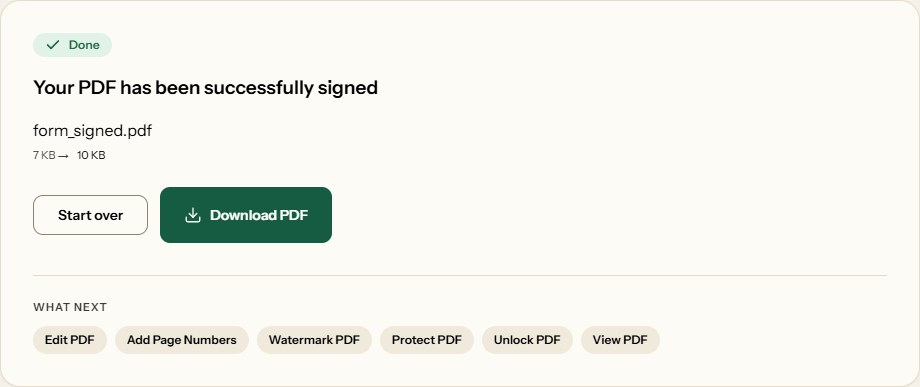
Two screens from the working tool, captured on 16 October 2026 with a two-page, 7 KB application form in it.
Frequently asked questions
Is a typed or drawn signature legally binding?
In many places, yes, for everyday agreements. The US ESIGN Act and the EU's eIDAS Regulation accept electronic signatures, with exceptions such as wills and some property documents. Rules differ by country and by document, so check what the person or office receiving it asks for. Our guide explains which documents need more.
Can someone change the document after I sign it?
Yes, and nothing in the file would show it, because an image of a signature is not linked to the words around it. The rent-change test above shows this; a certificate-based digital signature is what catches such an edit.
When do I need a digital signature instead?
When the receiver must be able to prove who signed and that nothing changed afterwards. Common examples are tax and company filings in India, which require a Digital Signature Certificate, and some EU procedures that require a qualified signature. This tool does not create those, so ask the receiving office which kind it accepts.
Will a photo of my signature make the PDF huge?
No. Photos are reduced to 1,200 pixels on the longest side, and with Remove paper background on, which is the default, cropped to the ink. In our test a 3.3 MB, 12-megapixel phone photo added 25 KB to the file. With the background kept it added 205 KB, still far less than the photo itself.
How do I add a signature without a white box around it?
Typed and drawn signatures already have a transparent background. For a photo or scan, keep Remove paper background ticked: it makes the paper transparent and crops to the ink, so no grey box covers the lines. Untick it for a logo or coloured stamp, which it could thin out.
Can I put the signature on every page?
Yes. Place it once, then under Apply signature to choose All pages, or Custom pages with a list such as 1, 3, 5-7. It lands in the same spot, at the same size relative to each page. The image is stored once, so signing six pages added only about 1 KB more than signing one.
Can I sign on my phone?
Yes. Choose Draw and sign with your finger, or sign paper and use Take photo under Upload to photograph it with the phone's camera. You can also type your name. Everything happens in the phone's browser, including the camera, so there is no app to install and nothing is uploaded.
Can I use this for GST, income tax or company filings in India?
No. Those filings ask for a Digital Signature Certificate from a licensed Certifying Authority, which proves who signed with a cryptographic key. This tool places an image of your signature on the page, which is fine for letters, forms and most agreements, but it is not a DSC.