PDF to Excel Converter
Pull tables and figures out of a PDF and into a spreadsheet you can sort, filter and edit.
Get the table out of the PDF and into a spreadsheet
This free PDF to Excel converter reads the tables in a PDF - a bank statement, an invoice, a price list - and writes them to an Excel workbook, one sheet per page, or to a CSV file, with amounts as numbers you can add up. Columns are found from where the text sits, so right-aligned amount columns stay together, and amounts are read in the document's own number style, whether 1,234.56, 1.234,56 or 1'234.56. Scanned PDFs work with free OCR in eleven languages. The file is converted in your browser and never uploaded.
What we tested it on
A bank-statement page with the usual layout: date, description, and right-aligned debit, credit and balance columns, amounts in Indian digit grouping like 1,23,456.78, descriptions of different lengths. That layout is the hard case, and the first run showed why. Because the tool placed text in columns by where each piece started, a short amount and a long one in the same column began in different places. The five columns came out as seven, and all forty amounts arrived as text that Excel would not add up.
We changed both on 27 September. Columns are now found from where text overlaps, so right-aligned figures stay together, and anything that is plainly an amount is written as a number. The same page now gives exactly five columns, twenty rows, and forty numeric amounts, every balance correct and in one column.
Numbers written the way your country writes them
One amount is written five ways around the world: 1,234.56 in the US and UK, 1,23,456.78 in India, 1.234,56 in Germany, 1 234,56 in France and 1'234.56 in Switzerland. On 10 October 2026 we made one small statement in each style, with seven amounts, and converted them. Until that day the tool read every cell the English way. The German, French and Swiss statements came out with 0, 0 and 1 of their seven amounts as numbers. Worse, the German 1.234 - one thousand two hundred and thirty-four - became 1.234.
The tool now reads the whole document first and decides its number style from its amounts. Run again, every statement came out with all seven amounts as the right number - 35 of 35 - and a German statement written in whole euros, 7 of 7. When a document gives no clue at all, an amount like 1.234 is left as text rather than risk a value a thousand times off.
| In the PDF | In the spreadsheet |
|---|---|
1,23,456.78, 123,456.78, 123.456,78, 123 456,78, 123'456.78 | The number 123456.78, shown with two decimals |
₹ 500, Rs. 500, $500, 500 €, CHF 500 | 500 - the sign is dropped |
(2,500.00), -2,500.00, -2.500,00 | -2500 |
00123456, a 16-digit card number | Kept as text, so no zeros or digits are lost |
12/09/2026, 12.09.2026 | Kept as text - see below |
Excel shows the numbers in its own regional style - an Indian 1,23,456.78 appears as 123,456.78, a German statement opened on a German computer as 123.456,78 - but the values are the same. Columns marked Dr and Cr are kept as text, since the tool cannot know which way your bank signs them.
Why dates stay as text
12/09/2026 is 12 September in the UK, India and most of the world, and December 9 in the US. A PDF does not record which was meant, and a date turned the wrong way round is worse than one left as text, because it looks right. So dates come across exactly as printed. To make them real dates, select the column in Excel, choose Data, Text to Columns, and pick DMY or MDY in the last step.
Scanned statements
A scan has no text to read, so switch on Enable OCR and choose the scan's language from the same eleven our OCR PDF tool offers. Until 10 October this read each line of a scan as one block, so a whole row - date, description and amounts - landed in a single cell, with no columns and no numbers. It now reads word by word and finds the columns the same way as for a text PDF. On a scanned German statement read in German, and a Hindi one read in Hindi with English, all six amounts in each came back as the right numbers, in their own columns.
Excel or CSV
Excel gives one sheet per page, with amounts that have decimals shown to two places. CSV puts every page into one continuous table, which suits a statement whose table runs over a page break, and opens in any spreadsheet; a heading row printed on every page comes along each time, so delete the repeats. The CSV is marked as UTF-8, so a rupee sign or a Hindi description opens correctly in Excel. In countries where Excel expects semicolons, open it with Data, From Text/CSV rather than by double-clicking.
Where it needs a hand
- Text that wraps. A description running onto a second line becomes a second row. Join them in Excel.
- Merged headings. A heading spanning two columns lands in one of them.
- Tables that run over a page break arrive on two sheets in the Excel file; choose CSV for one table.
- Scans are slower and less exact than a PDF with real text. Check the figures.
If what you need is the words rather than a grid, PDF to Word gives you editable text instead.
How to convert PDF to Excel
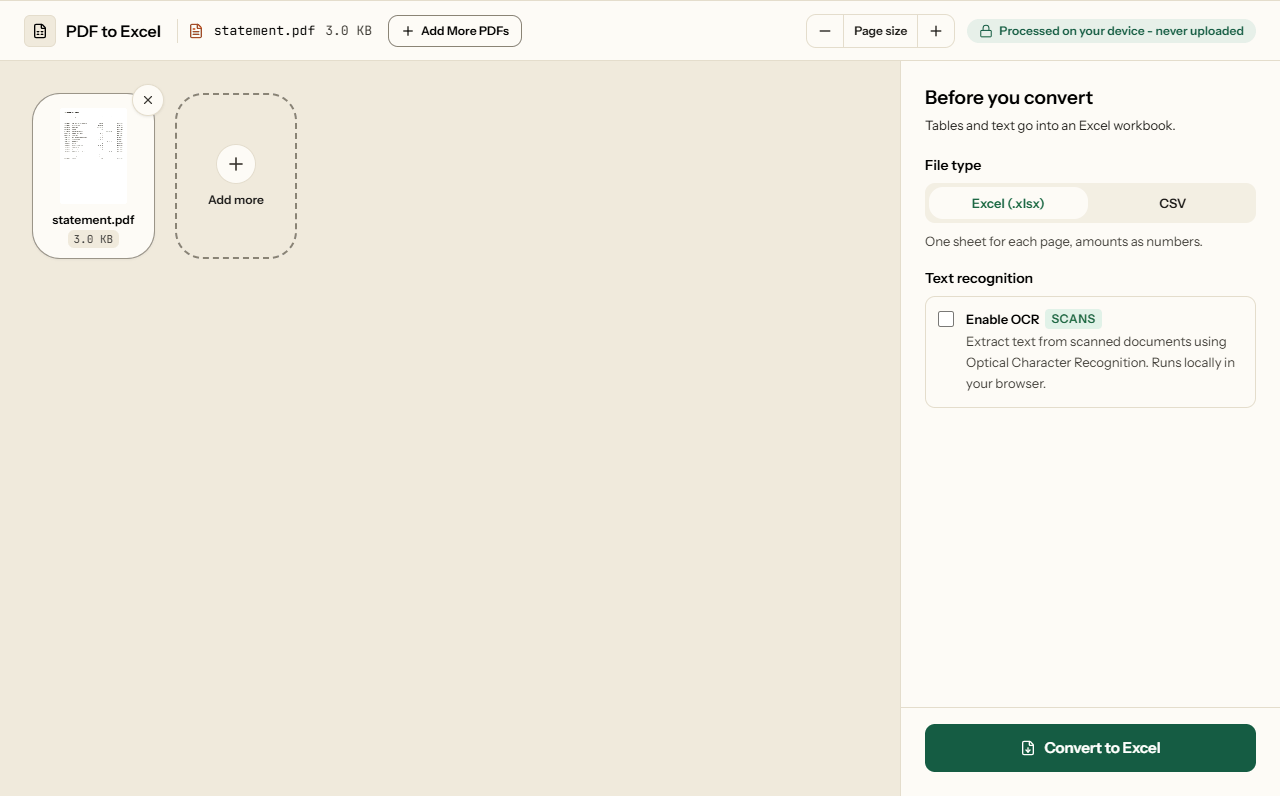
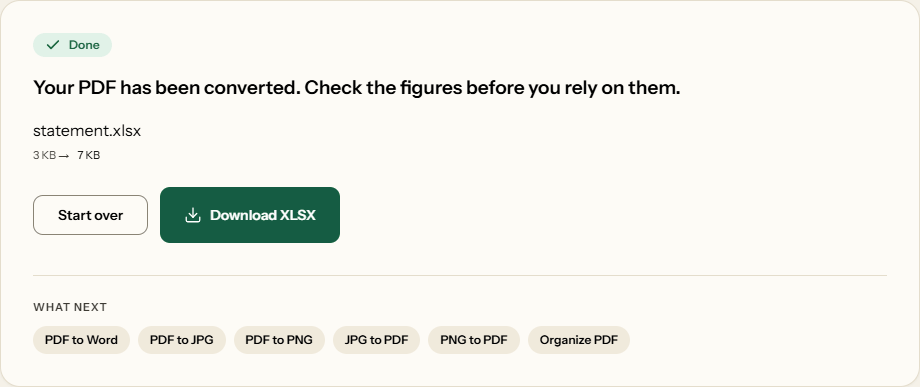
What PDF to Excel looks like
Two screens from the working tool, captured on 16 October 2026 with a one-page, 3 KB account statement in it.
Frequently asked questions
Are amounts numbers I can add up?
Yes. 1,234.56, 1,23,456.78, 1.234,56, 1 234,56 and 1'234.56 all arrive as the number 1234.56 or its equivalent, with currency signs dropped and bracketed amounts made negative. Account numbers with leading zeros and long digit strings such as card numbers stay as text, so nothing is rounded or cut.
How does it know whether 1.234 means one thousand or one point two?
From the rest of the document. If its amounts are written like 1.234,56, or a figure like 1.234.567 appears, it is read the European way; if they are written like 1,234.56, the English way. When nothing in the document settles it, 1.234 is left as text rather than guessed.
Why are my dates text instead of dates?
Because 12/09/2026 is 12 September in the UK and India but December 9 in the US, and the PDF does not say which. Rather than guess wrong, the tool keeps dates as text. In Excel, use Data, Text to Columns, and choose DMY or MDY to turn them into real dates.
Can it read a scanned statement?
Yes. Switch on Enable OCR and choose the language - English, German, French, Spanish, Portuguese, Italian, Dutch, Hindi, Marathi, Bengali or Tamil. On our scanned test statements in German and in Hindi, every amount came back as the right number. Check the figures on a poor scan.
My table runs over two pages. Can I get one table?
Yes. Choose CSV and every page goes into one continuous table, which opens in Excel, Google Sheets or any other spreadsheet; delete any heading row that repeats from page to page. The Excel file keeps one sheet for each page instead.
Will my formulas come across?
No. A PDF stores the numbers a formula produced, not the formula itself. You get those values as real numbers, so you can build new formulas on them.