PNG to PDF Converter
Turn any number of PNGs into a single lossless PDF, ordered exactly as you arrange them.
Screenshots, diagrams and scans into one PDF
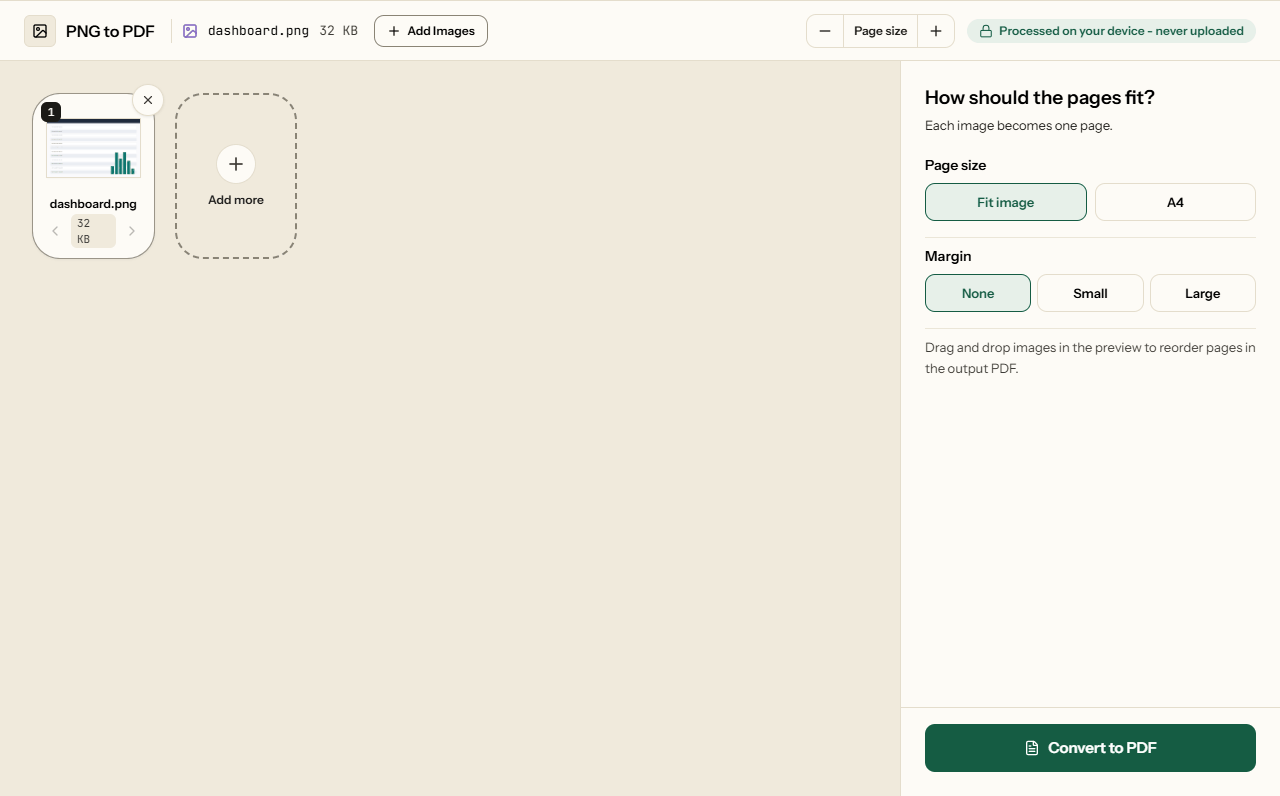
Add PNG images, put them in order, choose a page size, and click Convert to PDF. Every pixel goes in as it is. The images stay in your browser; nothing is uploaded.
Why PNG for this
PNG is the format screenshots, charts, diagrams and scanned documents are usually saved in, because it keeps every pixel exact: text stays sharp, lines stay clean, flat colours stay flat. This tool keeps it that way: every pixel goes into the PDF unchanged, with no resizing and no lossy compression. So a screenshot of a receipt or an error message is as readable in the PDF as on your screen. The one exception is a 16-bit PNG, which some design and scientific programs save: it is stored at the usual 8 bits per channel. On an ordinary screen that looks the same, but for colour-critical print work keep the original.
For photographs the trade-off flips: a photo saved as PNG is several times larger than the same photo as a JPG, and that size carries straight into the PDF. If your images are photos, save them as JPG and use JPG to PDF, or compress the result afterwards.
Transparency
A logo or signature with a transparent background keeps it. We checked the output: the PNG's transparency is stored in the PDF with the image, not flattened into white. On an ordinary PDF page that looks white, because the page is white. It matters when the page is placed onto something else - a letterhead, a coloured design - where the background shows through the transparent parts rather than a white box.
Will the PDF be bigger than the PNG?
Usually not. The PNG's pixels are unpacked and packed again with the PDF's own lossless compression, which keeps every pixel and, for flat images like screenshots, takes less room. On 10 October 2026 we ran three PNGs through the tool's own conversion, one page each at Fit Image:
| Image | PNG | |
|---|---|---|
| Screenshot of a web page, 1440 × 900 | 99 KB | 72 KB |
| Bar chart, 1600 × 900 | 35 KB | 28 KB |
| Photo saved as PNG, 2000 × 1500 | 8.0 MB | 8.0 MB |
The screenshot was of a page on this site, and the chart and the photo-like image were generated for the test. So read the table as a guide to the kinds of image rather than a promise for yours. A photo gains nothing either way - it is the PNG format that makes it large, so photos belong in JPG to PDF.
Page size
- Fit Image makes each page exactly the size of its image, one point per pixel, so nothing is cropped or padded. A full-screen screenshot makes a large page, which looks normal on screen.
- A4 Standard puts every image on an A4 page, scaled down to fit inside the margin and centred. Auto turns each page to match its image. Use it when the PDF will be printed or has to be A4.
How to convert PNG to PDF
What PNG to PDF looks like
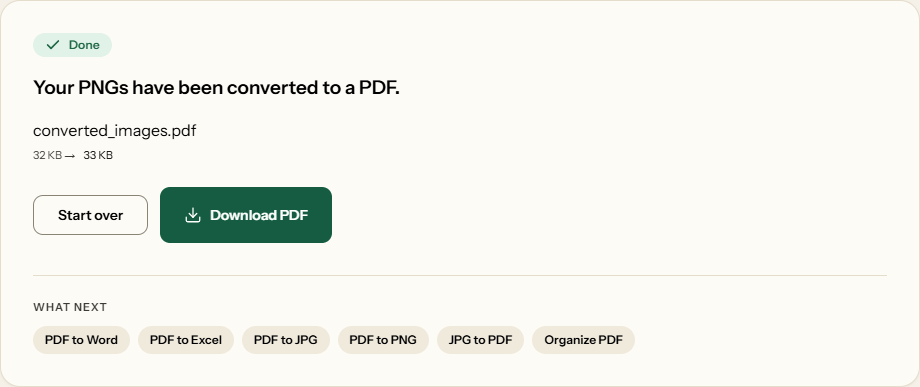
Two screens from the working tool, captured on 16 October 2026 with a 32 KB PNG image in it.
Frequently asked questions
Does this preserve my transparent backgrounds?
Yes. The transparency is kept in the PDF, not flattened into a colour. A PDF page is white, so a transparent area looks white when you view or print it - but if the page is later placed onto a coloured design, the transparent parts let it show through.
Will the PDF be bigger than my PNGs?
Usually not. The pixels are packed again with the PDF's own lossless compression, and in our test a 1440 × 900 screenshot went from 99 KB to 72 KB and a chart from 35 KB to 28 KB. A photo saved as PNG stayed at 8.0 MB, so save photos as JPG and use JPG to PDF.
Will text in my screenshot stay sharp?
Yes. Nothing is resized or blurred: every pixel of the PNG is in the PDF, so a screenshot of a receipt or an error message reads exactly as it did. If the text looks soft, it was soft in the screenshot - capture at 100% zoom or larger.
Can I put screenshots on A4 pages for printing?
Yes. Choose A4 Standard. A screenshot is only ever scaled down, never up, so a small one keeps its own size in the middle of the page, and with Auto a wide one gets a landscape page.
Can I turn a series of screenshots into one PDF?
Yes. Add them all and drag them into the order of the steps; each becomes a page. With Fit Image every page is the size of its screenshot, so nothing is shrunk - good for a bug report or a how-to someone reads on screen.
Can I mix PNGs and JPG photos?
Not in this tool: it takes PNG images. Put the photos through JPG to PDF, then merge the two PDFs online.
Will a long scrolling screenshot fit on one page?
With Fit Image, yes: the page takes the screenshot's own size, so a tall capture becomes one tall page with nothing cut off. On A4 Standard it is scaled down until its whole height fits, which can make the text small, so split a long capture into several screenshots if it has to print on A4.