Add Page Numbers to PDF Online Free
A PDF page number adder: choose the position, format, size and colour of the numbers, and preview every page before you apply them.
PDF page numbering you can see before you save
Insert page numbers in any PDF - 1, 2, 3, Page 1 of 12, or i, ii, iii for the front pages. Pick a format, a position along the top or bottom edge, a size, a colour and a margin. Every page of your document is shown with its number drawn in place, so you can see it clear the footer - then click Add Page Numbers. The file is numbered in your browser and not uploaded.
What it does and does not do
| Formats | 1, Page 1, 1 of 12, Page 1 of 12 |
| Numerals | 1, 2, 3, i, ii, iii or I, II, III - and Roman front pages numbers the first few i, ii, iii before the rest start at 1 |
| Positions | Top or bottom; left, centre or right |
| Which pages | All, or all but the first few - Skip first pages leaves a cover or title page unnumbered |
| First number | Any - Start at number 12 continues a document that ended on 11 |
| Not available | Bates prefixes like ACME-000142. For a word such as DRAFT or CONFIDENTIAL on every page, use Watermark PDF |
"Page X of Y" counts what is printed: skip a one-page cover in a 12-page document and the second page reads "Page 1 of 11". Start at 12 as well, and it reads "Page 12 of 22".
Roman numerals for a thesis or report
A thesis, a book or a long report usually numbers its opening pages - contents, preface, abstract - in small Roman numerals, then starts again at 1 for the first chapter. Set Skip first pages for the cover and Roman front pages for the pages before chapter one. On 4 October 2026 we numbered a nine-page test document with one cover and three front pages. It printed nothing on the cover, then i, ii, iii, then 1 to 5. With the Page 1 of 12 format each part counts on its own - "Page ii of iii" in the front matter, "Page 2 of 5" in the chapters. Neither total includes the other part.
To number a whole document in Roman numerals, choose i, ii, iii or I, II, III under the format instead. There is no Roman numeral for zero, so a document started at 0 prints 0 on its first page and i on the next.
Choosing a margin that survives printing
The size and margin boxes are in PDF points, where 72 points make an inch and about 28 make a centimetre. The default margin of 24 is a third of an inch, about 8.5 mm from the edge of the page.
- Office printer: most cannot print within about 4-6 mm of the edge, so keep the margin at 20 or more or the number can be clipped.
- Bound or hole-punched along the left: put the number bottom-right or bottom-centre; bottom-left disappears into the binding.
- A document that already has a footer: raise the margin in the preview until the number sits above or below it, or move the number to the top.
Numbering a document built from several files, or one going to a binder, is covered in adding page numbers before printing: merge first and number last, so the count runs straight through.
Rotated and cropped pages
A landscape page in a portrait document is often stored as a portrait page with "turn 90 degrees" attached - which is exactly what our own Rotate tool does. Until 27 September this tool placed numbers on the page as stored, so on a turned page the number landed on a side edge, running sideways. The preview showed it at the bottom all the same. It now places the number on the page as it is displayed. We checked pages turned 90, 180 and 270 degrees and a cropped page, and every number came out bottom-centre, level, and inside the visible area.
How to add page numbers to a PDF
What Add Page Numbers looks like
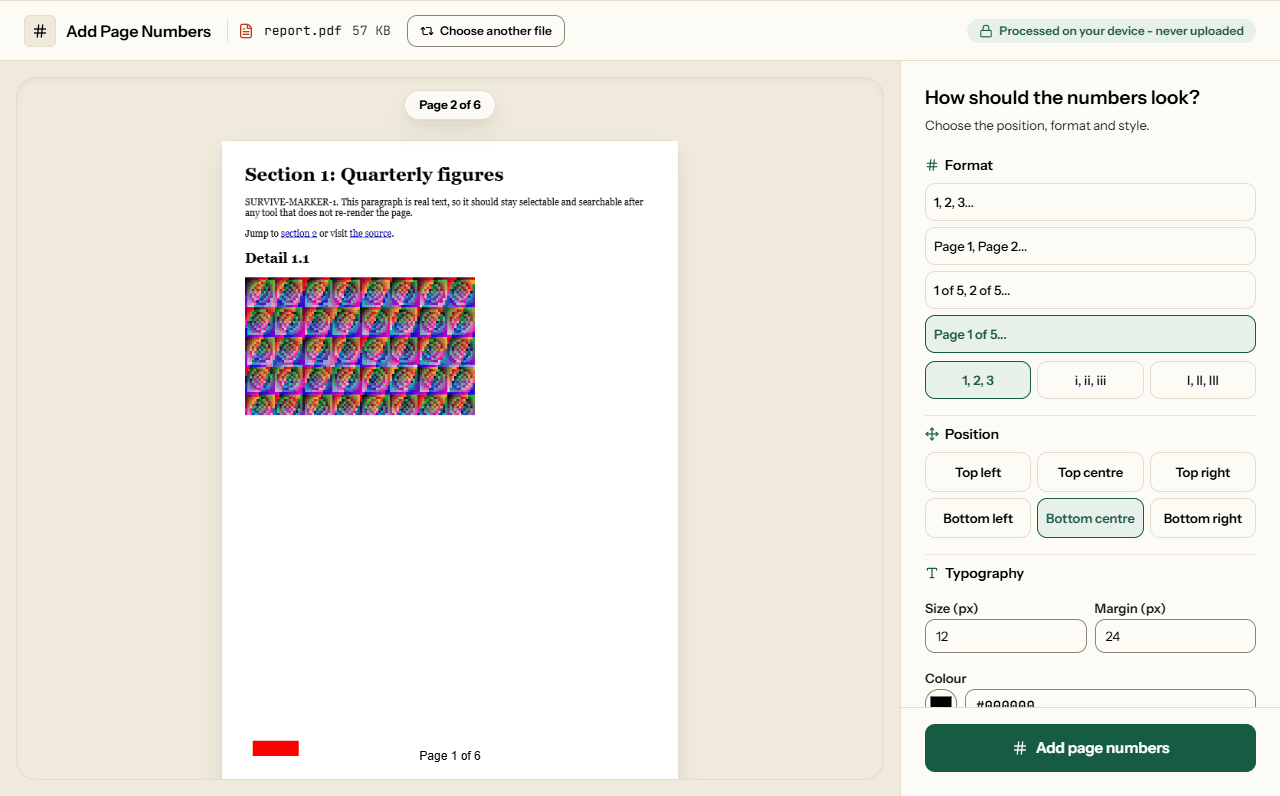
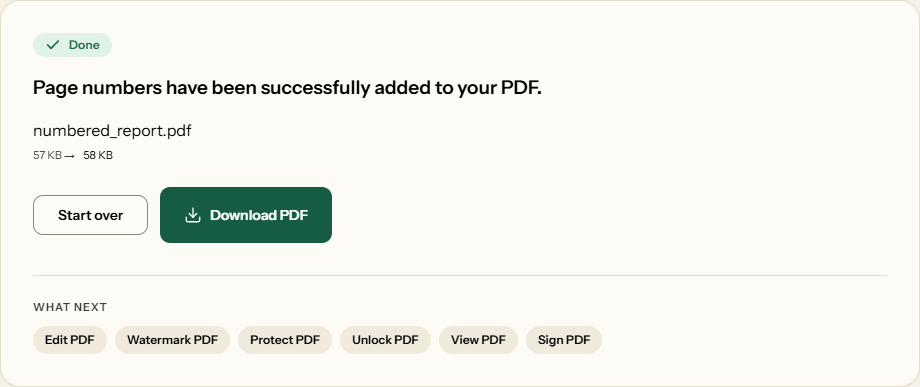
Two screens from the working tool, captured on 16 October 2026 with a 6-page, 57 KB report in it.
Frequently asked questions
Can I customize the numbering format?
There are four: 1, Page 1, 1 of 12 and Page 1 of 12, each in ordinary numbers or Roman numerals (i, ii, iii or I, II, III). You can leave the first pages unnumbered - a cover, say - and start from any number, and the total counts to the last number printed. Bates prefixes are not available.
Can I number the front pages i, ii, iii and the rest 1, 2, 3?
Yes. Set Roman front pages to the number of pages before your first chapter - contents, preface, abstract - and they are numbered i, ii, iii; the page after them starts again at 1. Pages you skip, such as a cover, come first and stay unnumbered. Only the printed numbers change: the page counter in your PDF reader's toolbar is left as it was.
Will the numbers cover up my document text?
Not if the preview says they will not. Every page is shown with the number drawn where it will go, so you can raise the margin until it clears a footer before you save anything.
Can I change the font color and size?
Yes. Pick any colour, and a size from 8 to 72. The numbers are set in Helvetica, which every PDF reader has built in, so the file grows by only a kilobyte or so.
Where on the page can the number sit?
Along the top or the bottom edge, aligned left, centre or right. Bottom-centre is the usual choice for reports; bottom-right suits documents that will be bound on the left, because the number stays visible when the pages are held together.
Will the numbers survive printing and emailing?
Yes. They are drawn into the page content rather than added as a comment or annotation layer, so they print exactly as shown and cannot be toggled off in someone else's reader.
Does it work on pages that have been rotated or cropped?
Yes. The number is placed on the page as it is displayed. A landscape page turned with Rotate PDF gets its number along its bottom edge, reading level, and a cropped page gets it inside the part that is still visible.
Related Tools
Usually done just before or after numbering.