Password Protect PDF
Lock a PDF so only people with the password can open it, or just stop printing, copying and editing.
Lock a PDF so only people with the password can open it
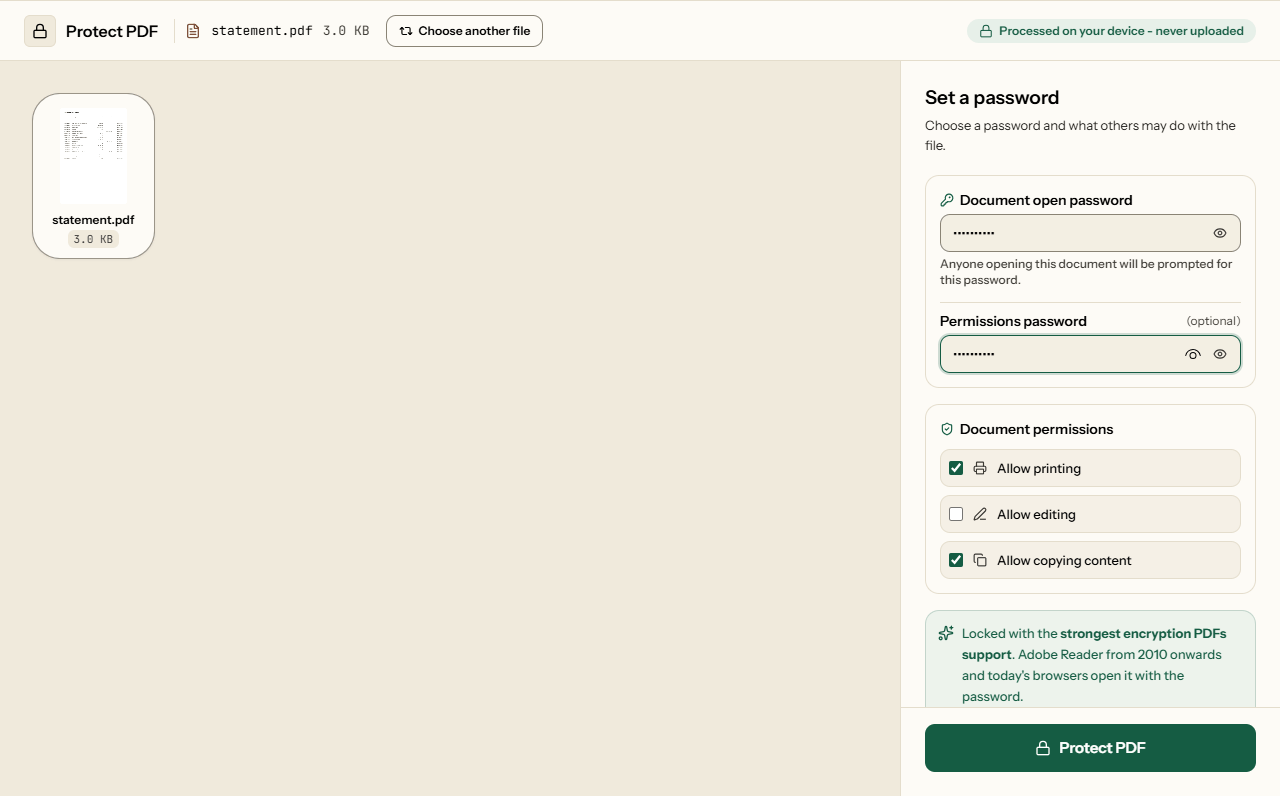
To password protect a PDF on Piqav, add the file, type a document open password, choose whether to protect it from editing, copying and printing, and click Protect PDF. The file is locked with the strongest encryption PDFs support, inside your browser, so neither the PDF nor the password is sent to a server. Anyone who opens the result is asked for the password, and without it the contents cannot be read.
The encryption is the strongest the PDF format offers. What decides whether a file stays locked is the password you choose, which is why this page shows how long common kinds of password last.
Which password does what
| You set | Opening the file | How strong |
|---|---|---|
| Open password | Asks for it; nothing can be read without it | Real protection: the contents are encrypted with it |
| Permissions password only | Opens for anyone | A request: readers that follow the rules disable printing, editing or copying, and many tools do not |
| Both | Asks for the open password | Encrypted, and the permissions apply to people who open it |
The two are usually presented as equals. They are not. Our own editing tools open a permissions-only file without asking, as most PDF tools do, so unticking "Allow copying content" does not stop a determined person copying. More on the difference in the two PDF passwords.
How long would your password last?
The encryption Piqav uses (AES-256) cannot be broken directly. A protected PDF is broken by guessing its password, on the attacker's own computer, with no lockout. On one RTX 4090 gaming graphics card, hashcat (a widely used password-guessing program) tries about 427,000 passwords a second against files locked by Piqav, and about 122 million a second against the older, weaker lock many PDFs still use (published benchmark, hashcat 6.2.6). At those rates:
| Password | Possibilities | Locked by Piqav | Older PDF lock |
|---|---|---|---|
| 4-digit PIN | 10,000 | 0.02 seconds | instant |
| Date of birth, DDMMYYYY | 36,525 | 0.09 seconds | instant |
| 6 lowercase letters | 309 million | 12 minutes | 2.5 seconds |
| 8 lowercase letters | 209 billion | 5.7 days | 29 minutes |
| 8 random keyboard characters | 6.6 quadrillion | about 490 years | about 1.7 years |
| 4 random words from a 7,776-word list | 3.7 quadrillion | about 270 years | about 1 year |
| 5 random words | 28 quintillion | about 2 million years | about 7,400 years |
Times are for trying every possibility on one card; on average a password falls in half that time. Several cards divide the time between them, and passwords people make up themselves fall faster than random ones, because guessing programs try common words and patterns first. Calculated 9 October 2026.
So length beats cleverness. Four or five unrelated words, such as lantern cobalt monsoon twelve, are far harder to guess than P@ssw0rd1 and easier to remember. A date of birth or a phone number protects nothing from someone who has the file. Send the password by a different route from the file: a text message for a file you emailed.
Passwords in any language
A password does not have to be in English. On 9 October 2026 we protected the same report with five passwords and opened each result in pdf.js, the viewer built into Firefox, then unlocked it with our own Unlock PDF:
- Hindi:
पासवर्ड2026 - Chinese:
密码abc - Accented, with a space:
café crème - With quote marks:
my "quoted" pass - Symbols and a space:
P@ss w0rd!
Every file opened with its password and refused the same password with one extra character. The practical limit is the other person's keyboard: if they cannot type पासवर्ड, they cannot open the file.
What protection changes in the file
Only the encryption. We protected a report and a filled-in form, then unlocked them with the password: every page, bookmark, link, accessibility tag, attachment and form answer was still there (the full test). Sizes measured on 9 October 2026, on a desktop PC:
| File | Before | Protected | Time |
|---|---|---|---|
| 6-page text report | 58.0 KB | 59.3 KB (+2.3%) | 0.1 s |
| 6-page scan | 1.28 MB | 1.28 MB (+0.08%) | 0.3 s |
| 6 pages with photos | 5.64 MB | 5.65 MB (+0.03%) | 0.9 s |
How to password protect a PDF
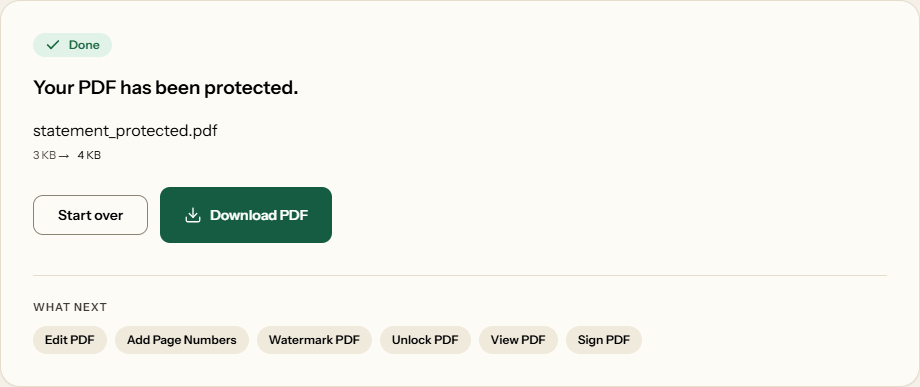
yourfile_protected.pdf.What Protect PDF looks like
Two screens from the working tool, captured on 16 October 2026 with a one-page, 3 KB account statement in it.
Frequently asked questions
What is the difference between an open password and a permissions password?
The open password encrypts the file: without it, nothing inside can be read. The permissions password only asks PDF readers to block printing, editing or copying in a file that opens freely, and many programs ignore that request. For anything private, set an open password. Permissions are a courtesy, not a lock.
How long would it take someone to guess my password?
It depends on the password, not the encryption. On one RTX 4090 graphics card, software can try about 427,000 passwords a second against a PDF locked by Piqav. That breaks any date of birth in under a second, but four random words would take centuries. The table on this page has the full figures.
Can I use a password in Hindi, Chinese or with accents?
Yes. On 9 October 2026 we protected a report with पासवर्ड2026, 密码abc, café crème and a password containing quote marks. Each opened in pdf.js, the viewer in Firefox, with the right password and refused a wrong one. Check that the person you send the file to can type those characters too.
Will the protected PDF open in other programs?
It uses the strongest lock the PDF format offers (AES-256), which Adobe Reader supports from version X (2010) onwards, as do current browsers' built-in viewers. We have confirmed it in pdf.js, the viewer built into Firefox. A reader older than 2010 may not be able to open it, even with the right password.
Does protecting a PDF make it bigger?
Slightly. In our test a 58 KB report grew by 2.3%, a 1.3 MB scan by 0.08% and a 5.6 MB file by 0.03%, because encryption adds a small, fixed amount of data. Pages, images and fonts are not recompressed, so nothing about how the document looks changes.
Does stopping printing or copying actually work?
Only in programs that choose to obey it. Adobe Reader and most browsers grey those options out, but many PDF tools, including Piqav's own editors, open a permissions-only file and ignore the rules. If people must not read the content, use an open password and share it only with them.
Can I remove the password later?
Yes, if you know the open password. Unlock PDF takes it and saves a copy with no encryption at all. If you set only an open password, Piqav adds a random permissions password you never see. You don't need it, because the open password alone is enough to unlock the file.