PDF to PNG Converter
Export pages as lossless PNGs with transparency preserved, at whatever resolution you pick.
Pages as crisp, lossless images
Save each page of your PDF as a PNG - the format that stores every pixel exactly, so text and line drawings stay sharp when you zoom in. Rendered in your browser; the PDF is not uploaded.
PNG is the right choice more often than it looks
The usual advice is that PNG files are big. For photographs, they are. For the pages people usually export - text, tables, charts, forms, slides - it is the other way round, because PNG compresses flat areas of one colour extremely well. (If what you need from a table is the numbers rather than a picture of them, PDF to Excel pulls them out as cells.) We rendered the same two A4 pages both ways:
| At | Page of text | Scanned page |
|---|---|---|
| 150 DPI | PNG 117 KB, JPG 138 KB | PNG 2.0 MB, JPG 372 KB |
| 300 DPI | PNG 306 KB, JPG 548 KB | PNG 2.9 MB, JPG 2.9 MB |
So: text and graphics, PNG - smaller and sharper. Scans and photos, PDF to JPG - much smaller, and nobody can see JPEG's losses in a photograph.
Resolution
High renders at 300 DPI - an A4 page becomes 2480 by 3507 pixels, enough to print at full size. Medium is 150 DPI, right for screens and slides; Low is 72 DPI, for thumbnails. Until 27 September, High and Medium were rendered at 225 and 144 DPI despite their labels; they now match what they say.
If the image has to fit a slot of a given size - a slide, a web page, a form that asks for a width in pixels - these are the sizes you get, measured from the tool's own output:
| Page size | Low, 72 DPI | Medium, 150 DPI | High, 300 DPI |
|---|---|---|---|
| A4 | 595 × 841 | 1240 × 1753 | 2480 × 3507 |
| US Letter | 612 × 792 | 1275 × 1650 | 2550 × 3300 |
| US Legal | 612 × 1008 | 1275 × 2100 | 2550 × 4200 |
| A3 | 841 × 1190 | 1753 × 2480 | 3507 × 4960 |
Each image is the page as a viewer shows it, turned the right way up and at its cropped size, on a white background. It has no selectable text; for that, keep the PDF, or convert to Word.
Before you convert a whole scanned document
The page-count multiplies whatever one page costs, and for scans PNG costs a lot. We converted every page of two documents and weighed the ZIP the tool hands back. A 6-page report typed in a word processor came to 251 KB at Low, 707 KB at Medium and 1.8 MB at High - small, because PNG handles plain text and white space well. A 10-page scan that was 7.9 MB as a PDF came to 7.4 MB, 31.6 MB and 65.5 MB. At High that is more than eight times the PDF it came from, because the scanner's paper texture and noise are exactly what PNG cannot compress.
Speed was not the issue - the 10-page scan took under five seconds even at High on our test machine. Size is. So for a scan, either pick only the pages you need or use PDF to JPG, where the same 10 pages came to 3.0 MB at Medium. To turn PNGs back into one document, PNG to PDF does the reverse.
How to convert PDF to PNG
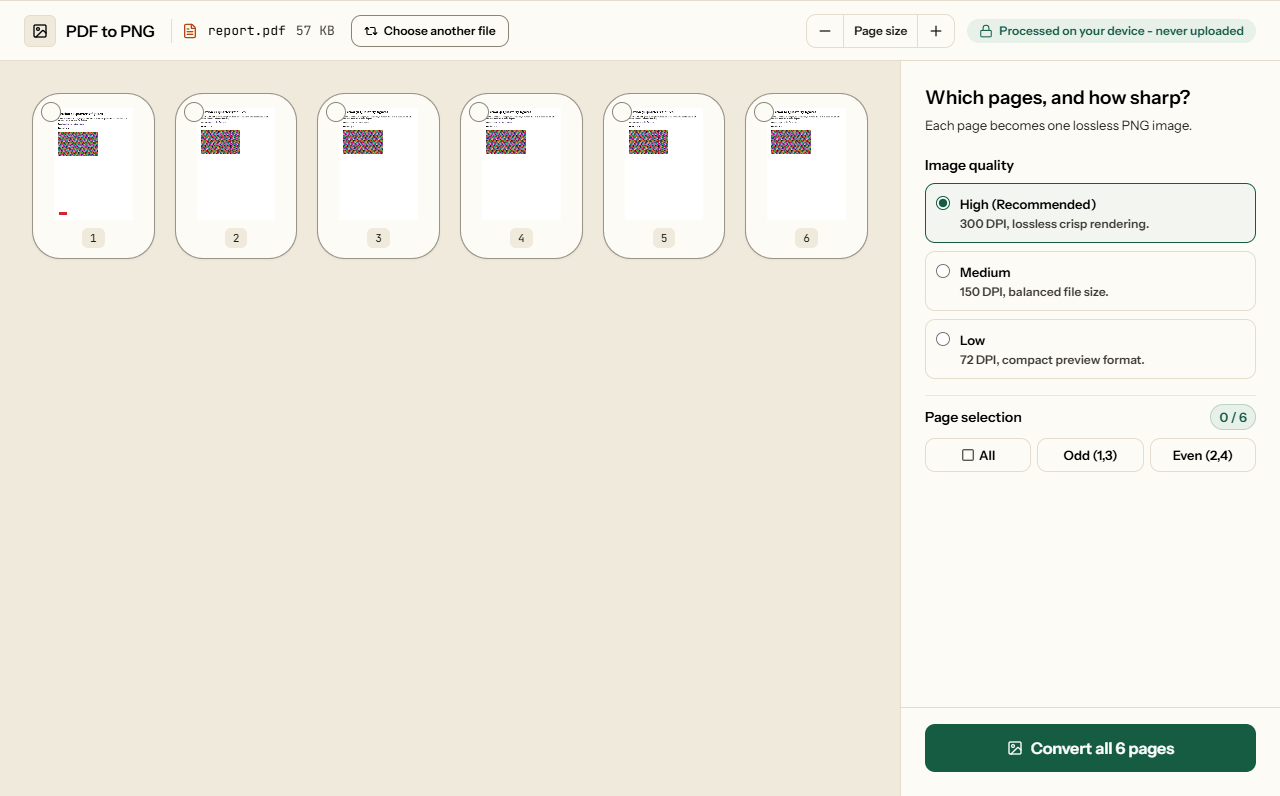
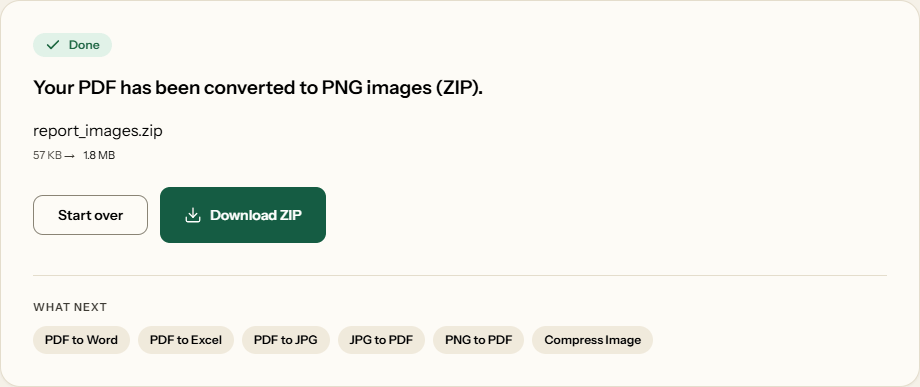
What PDF to PNG looks like
Two screens from the working tool, captured on 16 October 2026 with a 6-page, 57 KB report in it.
Frequently asked questions
Should I use PNG or JPG for my PDF?
PNG for text, tables, charts and slides: it keeps letters and thin lines crisp, and for our A4 page of text at 300 DPI it was smaller too, 306 KB against 548 KB as a JPG. For scans and photographs, JPG is far smaller.
Why is the PNG of my scan so large?
A scan is full of grain and paper texture, and PNG stores every speck exactly. Our 10-page scan, a 7.9 MB PDF, became 65.5 MB of PNGs at High. Convert only the pages you need, or use PDF to JPG, which made 3 MB at Medium.
Will the exported PNG have a transparent background?
No. Each page is drawn onto white first, as a printed page would be, so the PNG is opaque. If you need a transparent logo or signature, cut it out afterwards in an image editor.
How many pixels is a PDF page at 300 DPI?
It depends on the paper. An A4 page comes out at 2480 × 3507 pixels, US Letter at 2550 × 3300, US Legal at 2550 × 4200 and A3 at 3507 × 4960. Halve those for Medium (150 DPI).
Can I export a single page for a slide or a document?
Yes. Click that page in the grid and convert the selection: you get it as one PNG rather than a ZIP. Medium gives an A4 page 1240 pixels wide; choose High if it will be printed or shown large.