Delete Pages from PDF
Remove blank, duplicate or sensitive pages - pick them off one at a time or clear an entire range at once.
Take pages out and keep the rest of the document working
To delete pages from a PDF, select the pages and click Save without these pages. Hover over a page and click its trash icon, or select several and delete them together. The pages you keep are untouched, and so is everything around them: bookmarks, links between pages, fillable forms. The pages you delete are removed from the file, not hidden. To keep only a few pages instead, extract the pages you want; to delete and reorder in one pass, use Organize PDF.
Deleted means deleted
Removing a page from view is easy; removing it from the file is not. A deleted page's words can hide in places you never see: the title of a bookmark that pointed at it, the alt text of its images in the accessibility tags, the answer someone typed into a form field on it. When we first tested this tool, deleting page 2 of a report left its bookmark titles, the alt text of its chart and the address of its link inside the download.
Now all of those go with the page. We check by searching every word and every compressed stream in the downloaded file for text that appeared only on the deleted page. None is left, and the pages you kept still have all of theirs. That is the point of deleting an internal cover note or a pricing page before a document goes out. The method is in what survives each PDF tool.
What happens to bookmarks, links and file size
| Part of the file | On the pages you keep | From the deleted pages |
|---|---|---|
| Bookmarks | Stay and still work | Removed; sub-bookmarks that lead to kept pages move up a level |
| Links | Still work, except a link to a deleted page, which stays but goes nowhere | Removed with the page |
| Form fields | Stay fillable, with their answers | Answers removed from the file |
| Text, images, comments | Unchanged | Removed; a search of the file finds none of their words |
Check a clickable table of contents afterwards, since a link to a deleted page no longer goes anywhere. File size drops by what only the deleted pages used. In a scan, where every page is its own image, that is most of their weight: deleting four pages of a six-page, 1,245 KB scan left 416 KB. In a text document the pages share their fonts, which stay for the pages you keep, so deleting a page saves much less.
Tip
Blank backs from a double-sided scan
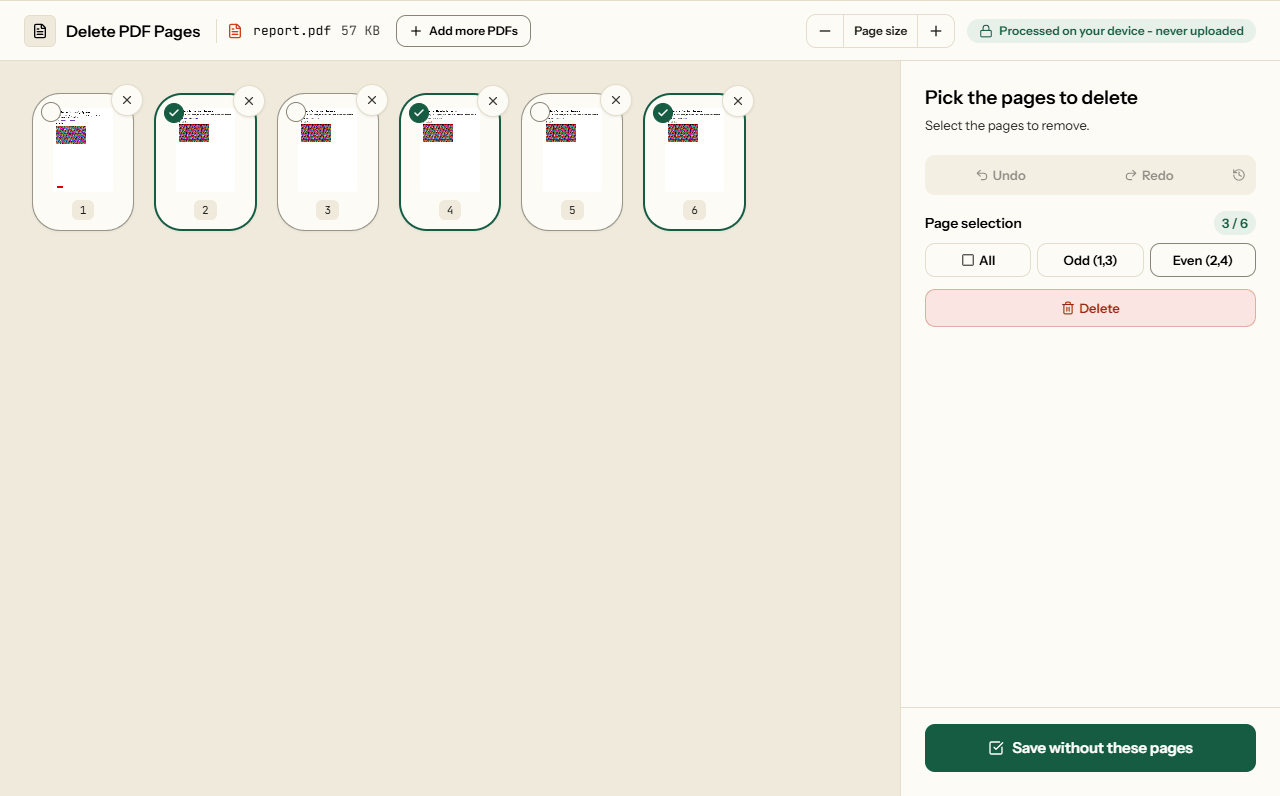
If every even page is a blank reverse, click Even (2,4) to select them all, check the selection in the grid, then press Delete. If the blanks are not strictly alternate - a two-sided page in the middle of one-sided ones - click them one at a time instead.
How to delete PDF pages
What Delete Pages looks like
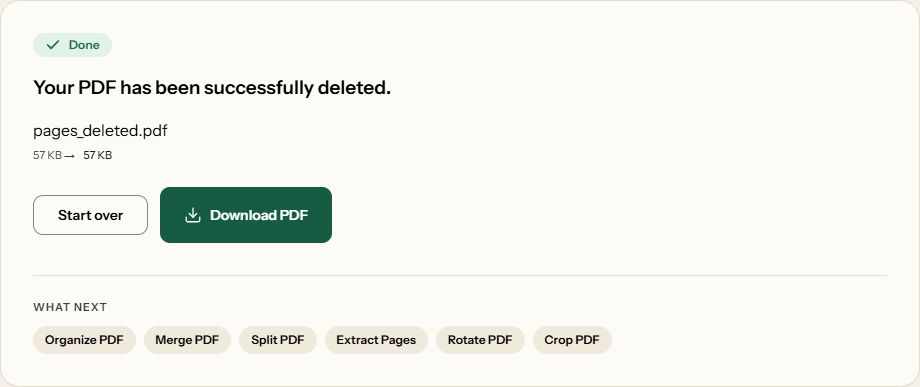
Two screens from the working tool, captured on 16 October 2026 with a 6-page, 57 KB report in it.
Frequently asked questions
How do I remove just one page?
Hover over its thumbnail and click the trash icon that appears. The page goes at once and the rest close up; nothing is saved until you click Save without these pages.
Can I delete multiple pages at once?
Yes. Click each page you want to remove - every page you click stays selected - or use the All, Odd and Even buttons to pick a whole set, then press Delete, or the Delete key on your keyboard, and confirm.
What if I accidentally delete an important page?
Press Ctrl+Z, or the Undo button, and it comes back where it was. Ctrl+Y redoes. Until you click Save without these pages, nothing has happened to your file.
Are the deleted pages really gone, or just hidden?
Really gone. The page's text, images and comments are removed from the file, and so are the bookmarks, accessibility tags and form answers that belonged to it - places a deleted page's words can otherwise hide. We tested it by searching a whole downloaded file for a deleted page's words and found none; the method is in what survives each PDF tool. That matters when you are stripping an internal cover note off a report before sending it out.
Can I remove pages from several PDFs in one go?
Yes. Add them all and pick the pages to remove from one grid; you download a single combined PDF. Combining files means building a new document, which drops accessibility tags and attachments, so if those matter, delete pages from each file separately.
Does deleting pages make the PDF smaller?
Yes, by whatever only those pages used: a lot for a scan, where every page is its own image, and little for a text document, whose pages share their fonts. The measured example is in the section above.
How do I remove the blank backs of a double-sided scan?
Click Even (2,4), check the selection in the grid, then press Delete and save. If the blank pages do not strictly alternate, click them one at a time.
Related Tools
When deleting is only part of the job.