Redact PDF
Draw boxes over anything that must go, or search for a name or number to box every place it appears. Each page you redact is turned into an image with the boxes burned in, so the covered text is removed from the file - not just hidden.
Black out text, and have it actually gone
To redact a PDF is to black out text so that it is removed from the file, not just hidden: a black box drawn on top leaves the words underneath. Drag a box over each name, number or paragraph that must not be seen, then click Apply. Every page with a box is replaced by an image of itself with the boxes burned in, so there is no text left under them to copy. We checked: after redacting, the covered words could not be found anywhere in the file. It runs in your browser and the PDF is never uploaded.
Why a black box is not enough
Most PDF redaction that goes wrong goes wrong the same way: someone draws a black rectangle over the text, and the text is still underneath. Select the area and copy, and it comes out in full. This tool did exactly that until 27 September - we proved it by drawing a box over an ID number and extracting the number afterwards - and it said so on this page rather than pretend otherwise.
It now does what redaction has to do: it removes what is under the box. The reliable way to do that is to turn the page into a picture and paint the boxes onto the picture, so there is no text layer left on that page at all. Why so many redactions leak, including in court filings, is in why PDF redaction fails.
Find every place a name or number appears
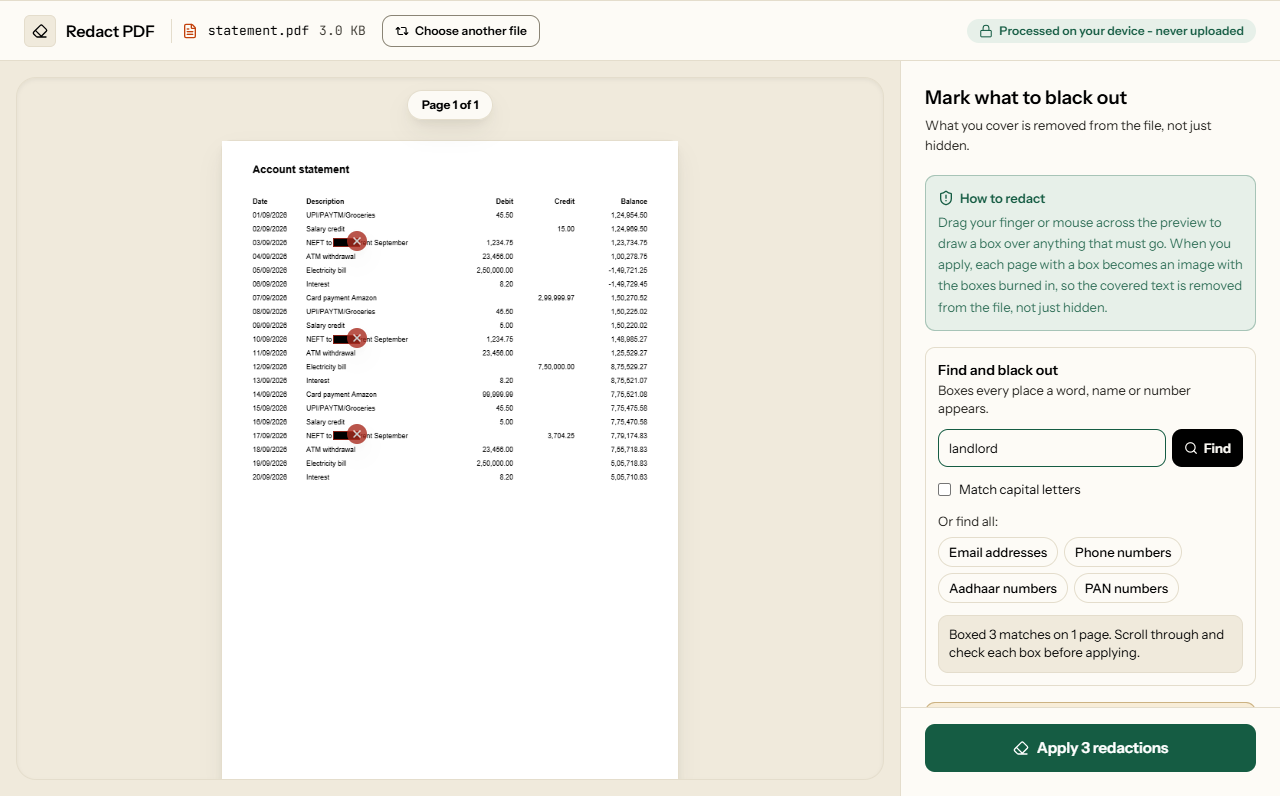
A name that appears forty times is easy to miss once. Type it under Find and black out and every place it appears gets a box, on every page. Or tick a ready-made search: email addresses, phone numbers, Aadhaar numbers or PAN numbers. The boxes are added to the preview, not applied, so you can scroll through, remove any you do not want, and draw more by hand.
We tested it on a page set in Helvetica, Times and Courier, plain and bold, with a second page turned sideways. A search for one name boxed all 11 places it appeared, in capitals and lower case, and after applying no letter of it showed at the edges of a box. The phone search caught +91 mobiles, 10-digit mobiles and STD landlines, and left an Aadhaar number, an account number and an invoice number alone. A scan has no text to search, so for scanned pages the tool offers to read them with OCR first, on your device, in any of the 11 languages of OCR PDF. On a blurred, slightly tilted 200 DPI test scan of a KYC form it found the name, Aadhaar number, PAN, mobile and email in 3.4 seconds and left the father's name and the address alone. A badly blurred scan can still be misread, so check those boxes most carefully.
What we checked
We redacted the top of the first page of a six-page report that had bookmarks, links, accessibility tags and an attachment, and a line on a filled-in form:
| What we checked | Result |
|---|---|
| Text on the redacted page | None extractable. Its chart's alt text and link address, which live outside the visible page, were gone from the file too |
| The filled-in form | The name typed on the redacted page was nowhere in the file; answers on the other page were kept and still fillable |
| The other five pages | Untouched: text selectable, all twelve bookmarks working, tags and attachment intact |
| Turned and cropped pages | Boxes landed where they were drawn, on pages turned 90, 180 and 270 degrees and on a cropped page |
| A scanned page | The original 2480 × 3508 pixel scan was gone from the file; the only image left was the new 200 DPI one with the box burned in |
Outside the pages: title, author and bookmarks
A PDF carries information that is not on any page: its title, author, subject and keywords, the program that made it, and the list of bookmarks. A client's name in the title or a bookmark called after the person survives the most careful blackout. Tick Also clear document properties and bookmarks and they are deleted along with the redaction. We checked on our test report: its title, its author and its bookmark titles were all in the file before, and none of them anywhere in it after, while the unredacted pages kept their text.
Two things it does not touch: files attached inside the PDF, and the name of the file itself - the download is called redacted.pdf, so rename it as you need. What else a PDF can carry is in what your PDFs leak in metadata.
What it costs
- The rest of a redacted page is an image too. It reads and prints as before, but its text cannot be selected or searched, and its links and form fields are gone. Pages without a box keep all of that.
- The file grows. Each redacted page is stored as a 200 DPI image, sharp enough to print; our A4 test page added about 185 KB. Redacting a few pages of a long document adds little; redacting every page of it adds a lot, and compressing afterwards can bring it down.
- It cannot be undone in the file. That is the point. Keep your original, and check the boxes before applying.
How to redact a PDF
What Redact PDF looks like
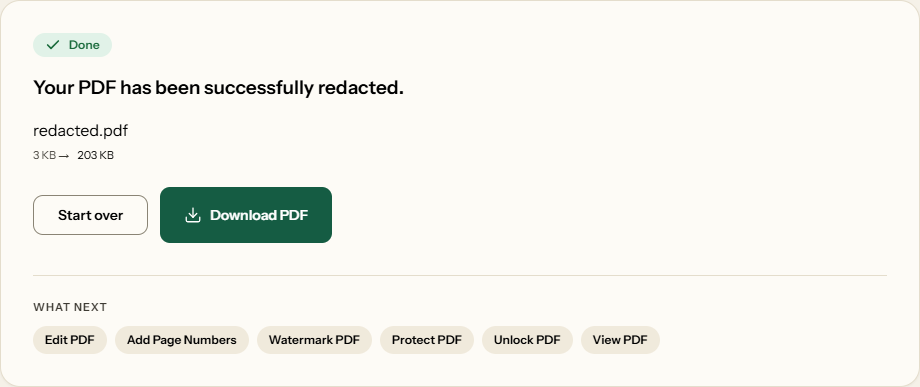
Two screens from the working tool, captured on 23 October 2026 with a one-page, 3 KB account statement in it.
Frequently asked questions
Is the text actually removed, or just covered up?
Removed. Each page with a box is turned into an image with the boxes painted in, and the page's original text, form answers and hidden descriptions are deleted from the file. We checked by searching redacted files for the covered words, and for everything else from those pages: none of it was there.
Does it work on scanned PDFs?
Yes. The box is painted into a new image of the page and the original scan is deleted from the file, so nothing under the box survives. We checked: after redacting a scanned page, the only image left in the file was the new one.
What happens to the rest of a redacted page?
It becomes part of the image too, so its text can no longer be selected, searched or copied, and its links and form fields go. It still reads and prints normally. Pages without a box are not changed at all.
Can I undo a blackout box if I made a mistake?
Yes. Click the X on any box to remove it, or use Undo, before you apply. After that the covered content is gone from the downloaded file, so keep your original.
Is anything from the redacted page left anywhere?
Not on the page and not in the parts of the file that describe it. Outside the pages, the document's title and author and its bookmark titles are kept unless you tick Also clear document properties and bookmarks; we checked that with it ticked, none of them was left anywhere in the file.
Will redacting make my document compliant with privacy law?
The tool removes what you cover, and we have checked that it does. Whether the result meets a law such as GDPR, or a court's or regulator's rules, depends on what you chose to cover and why. No tool can promise compliance for you, and we do not.