Edit PDF Online Free
A free PDF editor: add text, images, shapes and freehand drawings, or white out anything you would rather wasn't there.
Add text, images and marks to a PDF
To edit a PDF on Piqav, add the file, pick a tool (text, image, drawing, highlight, shape or whiteout), click on the page where it should go, and save. Everything you add is drawn into the page, so it prints and looks the same in every PDF reader. The file is edited in your browser and never uploaded.
This editor adds to a document rather than rewording it. To change a sentence that is already there, white it out and type the new wording on top. With Remove what Whiteout covers on, the old words are deleted from the file, not just hidden.
The tools
| Text | Click to place a text box; size 8 to 72, any colour, any language. Filling in a form that has no fields is the usual reason. |
| Insert image | A PNG or JPG, such as a logo, a stamp or a photo, which you can move and resize. |
| Draw | Freehand, 1 to 40 wide, with a smooth pencil, a spray and five patterned brushes. |
| Highlight and Underline | A translucent marker over text, or a line under it. |
| Rectangle and Circle | Outline shapes, for boxing a figure or ringing a clause. |
| Whiteout | A white box to cover something, and with Remove what Whiteout covers on, to delete it. See below. |
| Select | Click anything you have added to move or delete it. |
The save button counts your changes as you go ("Save 3 changes"), so you can see that everything you meant to add is there before you download.
Removing text: hidden or gone?
A white box on its own is drawn on top of the page, and the words underneath stay in the file. Anyone can copy them out. So when you use Whiteout, the editor offers Remove what Whiteout covers, and it is on by default: each page with a whiteout is saved as an image of itself, box included, so the covered words no longer exist. On 9 October 2026 we whited out the heading of a six-page report both ways:
| Remove what Whiteout covers | Covered heading | Other pages | File size |
|---|---|---|---|
| On (default) | Gone; could not be extracted | Still searchable text | 242 KB |
| Off | Hidden, but extracted in full | Still searchable text | 58 KB |
The price of removing is on the whited-out page only: it stops being selectable text, and as a 200 DPI image it is larger, which turned this 58 KB file into 242 KB. Turn the option off only when you are tidying a printout and want the page to stay searchable. Why a covering box is not enough is in why PDF redaction fails, and for removing words across a whole document there is Redact PDF.
Filling in a form that has no boxes
Many application and registration forms are PDFs of a printed page, with lines to write on rather than fields to click. Choose Text, click at the start of each line, type the answer, and set the size so it fits the line (10 to 12 suits most forms). Drag each answer into place with Select. A capital X works as a tick. When the form is filled, add your signature with Sign PDF, which places and sizes it on its own.
What this editor can't do
- Reword existing text. It adds to the page; it does not rebuild the document's own text and fonts. Whiteout plus new text covers most needs. Some online editors can change existing text, but they do it by uploading the file to their servers.
- Make other scripts searchable. Hindi, Tamil, Arabic, Chinese and symbols such as the rupee sign are placed as an image of the words: they print and look right, but cannot be searched or copied. English text stays real text.
- Add fillable fields or links. What you add is part of the page, not an interactive field.
- Change the words in a scan. They are part of a picture. OCR PDF makes them searchable first.
What editing does to the rest of the file
Everything you add is drawn into the page, on top of what is already there, so it prints and cannot be switched off in a viewer. The rest of the document stays as it was: bookmarks, links, accessibility tags and form fields all came through our test intact (the full results). The download keeps your file name, with _edited added.
Additions land where you place them on every kind of page. Until 27 September, anything added to a page that had been turned or cropped came out in the wrong place, and sideways. We fixed it and checked text and highlights on pages turned all four ways and on a cropped page.
How to edit a PDF
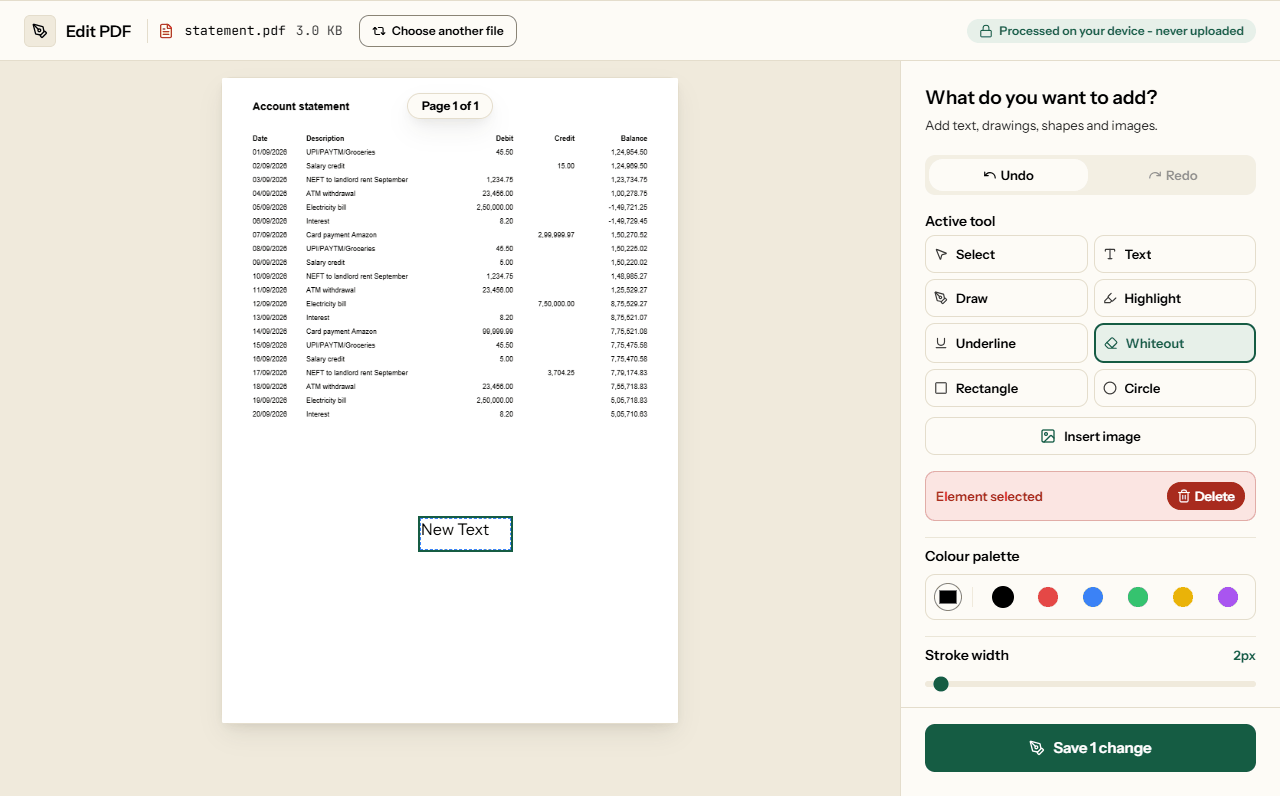
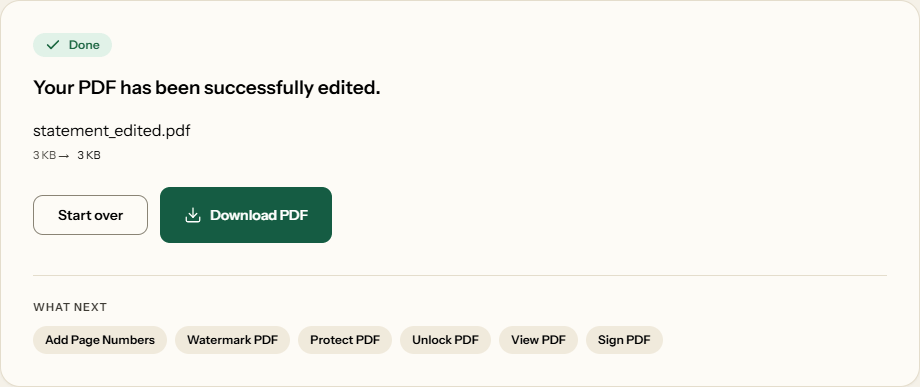
What Edit PDF looks like
Two screens from the working tool, captured on 16 October 2026 with a one-page, 3 KB account statement in it.
Frequently asked questions
Can I change the text that is already in the PDF?
Not directly. Piqav adds new text, images and marks on top of the page rather than rewriting what is there. To change a line, cover it with Whiteout and type the new wording over it. With Remove what Whiteout covers on, the old words are deleted from the file, not just hidden under the box.
How do I remove text so it is really gone?
Use Whiteout with Remove what Whiteout covers on, which is the default. That page is saved as an image, so the covered words no longer exist in the file; in our test they could not be extracted. The page also stops being searchable and gets larger: our 58 KB report became 242 KB.
Can I type in Hindi, Tamil, Arabic or Chinese?
Yes. Text the built-in PDF font cannot show is drawn by your browser, which joins Devanagari and other scripts correctly, and placed on the page as an image of the words. It prints and looks the same everywhere, but that text cannot be searched or copied. English text stays real, selectable text.
How do I fill in a form that has no boxes to click?
Choose Text, click where the answer goes, and type. Set the size between 8 and 72 to match the printed form, then drag it onto the line with Select. For a tick, type a capital X. Add a signature with Sign PDF afterwards, so it can be placed and sized on its own.
Can I undo or move something after adding it?
Yes, until you save. Undo and Redo step through every change, and Select lets you click any text box, shape, drawing or image you added to move or delete it. Nothing is written into the PDF until you click the Save button, so a mistake costs nothing before then.
Will my edits look the same for everyone and when printed?
Yes. Your additions are drawn into the page itself, not attached as comments, so every PDF reader shows them, every printer prints them, and nobody can switch them off. English text uses Helvetica, a font built into all PDF readers, so it never changes to a different font on someone else's computer.
Can I edit a scanned PDF?
You can add text, highlights, images and whiteout on top of a scan, the same as any PDF. You cannot change the words in the scan, because they are part of a picture. To make the scanned words searchable and copyable first, run the file through OCR PDF, then edit the result here.
Related Tools
For jobs this editor is not the right tool for.