HEIC to JPG Converter
Turn iPhone photos into JPGs that open anywhere, keeping the date they were taken. One photo or a batch, converted on your device.
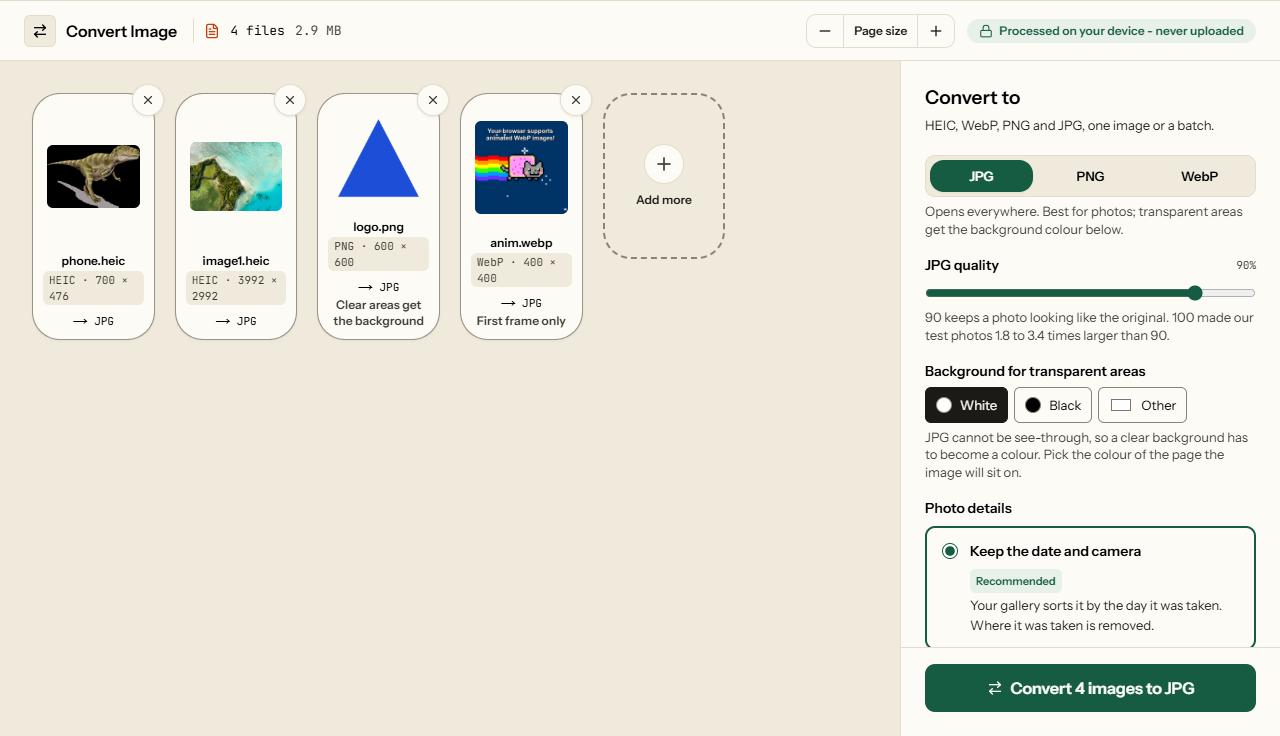
Convert iPhone photos from HEIC to JPG
iPhones save photos as HEIC, which Windows, Android, most browsers and most upload forms cannot open. This converter turns them into JPGs that open anywhere, one photo or hundreds at a time. Each photo keeps its full size, its colours and the date it was taken, and the location is removed. Your photos are decoded in this browser tab and never uploaded.
The date taken stays in the JPG
A photo's date, camera and location live in a block of details called EXIF. Most online converters draw the picture again and throw that block away. Your gallery then files every converted photo under the day you converted it, and a holiday from 2023 turns up as today.
This converter copies the details across. You choose what goes with them:
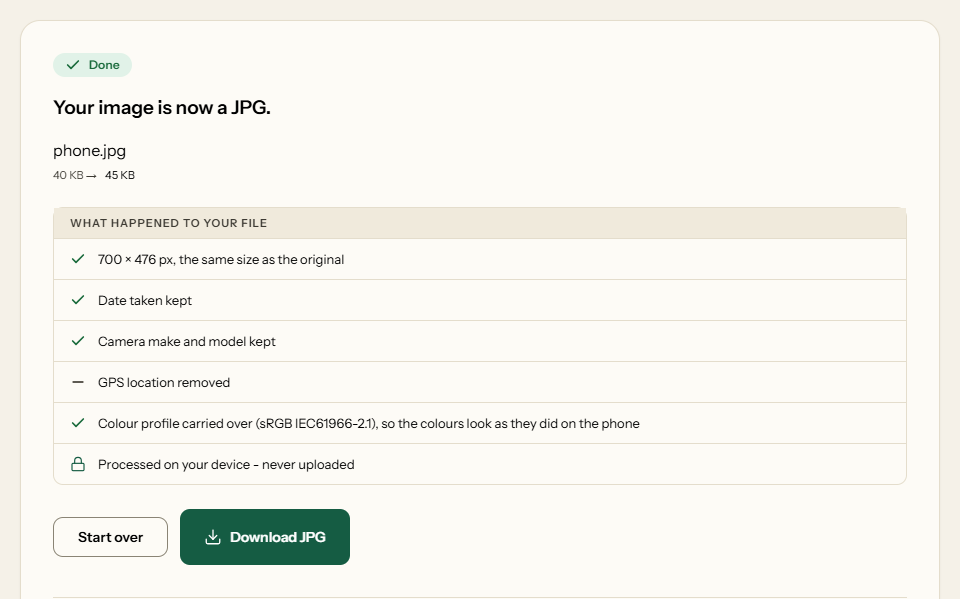
- Keep the date and camera (the default): the date and time taken, the phone model and the camera settings stay. The GPS position is removed, and its numbers are wiped from the file, not just hidden.
- Keep everything, location too: for your own albums and maps. Anyone you send the file to can see where it was taken.
- Remove everything: no date, camera or location in the file.
The photo is turned upright as it is decoded, so the JPG is marked upright too. It will not be rotated a second time by apps that read the old orientation.
Colours stay as the phone showed them
Recent iPhones record colour in Display P3, a wider range than the sRGB most images use. The phone stores a colour profile in each HEIC that says so. Without it, reds and greens come out flat and slightly dull. The converter copies that profile into the JPG or PNG, so the colours look as they did on the phone.
We checked that Edge honours it. The same pixel values, saved once with a Display P3 profile and once without, read back as red 215, green 93, blue 31 with the profile and 200, 100, 50 without. That is the more saturated colour the phone meant.
Measured: file size and time
Four HEIC photos, converted in Microsoft Edge 156 on 30 October 2026 by the tool's own code. Each JPG was read back and checked for its size, its date, its location and its colour profile.
| Photo | HEIC | JPG at 90 | JPG at 80 | Time |
|---|---|---|---|---|
| 3992 × 2992 (12 MP) | 2.9 MB | 3.2 MB | 2.2 MB | 2.8 s |
| 4242 × 2828 (12 MP) | 1.1 MB | 1.4 MB | 1.0 MB | 1.2 s |
| 3464 × 2130 (7 MP) | 2.4 MB | 2.3 MB | 1.7 MB | 1.8 s |
| 700 × 476 | 40 KB | 45 KB | 34 KB | 0.1 s |
At the default quality of 90, a JPG came out about the size of its HEIC. Quality 80 made them a quarter to a third smaller again. Quality 100 made them 2.5 to 3.4 times larger than at 90, with no difference you could see. The test photos are public samples. For the details we used a copy with a phone's date, camera and GPS position written in: the JPG kept the date and camera, and the GPS numbers were gone from the file.
Stop the iPhone saving HEIC
If you never want HEIC, change it on the phone. In Settings → Camera → Formats, choose Most Compatible, and new photos are saved as JPG. They take up to twice the space. Photos already taken stay HEIC, which is what this converter is for. To keep HEIC on the phone but get JPGs when you copy photos to a computer with a cable, set Settings → Photos → Transfer to Mac or PC to Automatic.
How to convert HEIC to JPG
What the converter looks like
Two screens from the working tool, captured on 30 October 2026.
Frequently asked questions
Why can't I open HEIC photos on my computer?
HEIC stores the picture with the same HEVC compression used for video, and only Apple devices read it out of the box. Windows needs the HEIF and HEVC extensions from the Microsoft Store, and Chrome, Edge and Firefox cannot show a HEIC at all. Most upload forms refuse it too. A JPG opens everywhere.
Will my photos still be sorted by the date they were taken?
Yes. By default the JPG keeps the date and time the photo was taken and the camera details, so Google Photos, Windows Photos and other galleries file it on the right day. A converter that only redraws the picture loses the date, and the photo lands on the day you converted it.
Does converting HEIC to JPG lose quality?
A little, as any JPG does, but not visibly at the default quality of 90. The JPG is the same width and height as the HEIC. It is usually about the same size: our four test photos came out between 4% smaller and 25% larger.
How do I make my iPhone take JPGs instead of HEIC?
Open Settings, then Camera, then Formats, and choose Most Compatible. New photos are then saved as JPG, at up to twice the file size. To keep HEIC on the phone but send JPGs to a computer, choose Automatic under Settings, Photos, Transfer to Mac or PC.
Can I convert HEIC to PNG instead?
Yes: choose PNG before you convert. PNG is lossless, but a photo saved as PNG is huge: our 12-megapixel test photo came out at 21.5 MB as PNG against 3.2 MB as JPG. Use PNG only when an app needs it or you will edit the photo many times.
Related Image Tools
When the JPG is too big for a form or an email.